








This module allows auditors to verify a learner’s CPD records securely.
Setup & Configuration
Place the shortcode below on the WordPress page you want to use for verification:
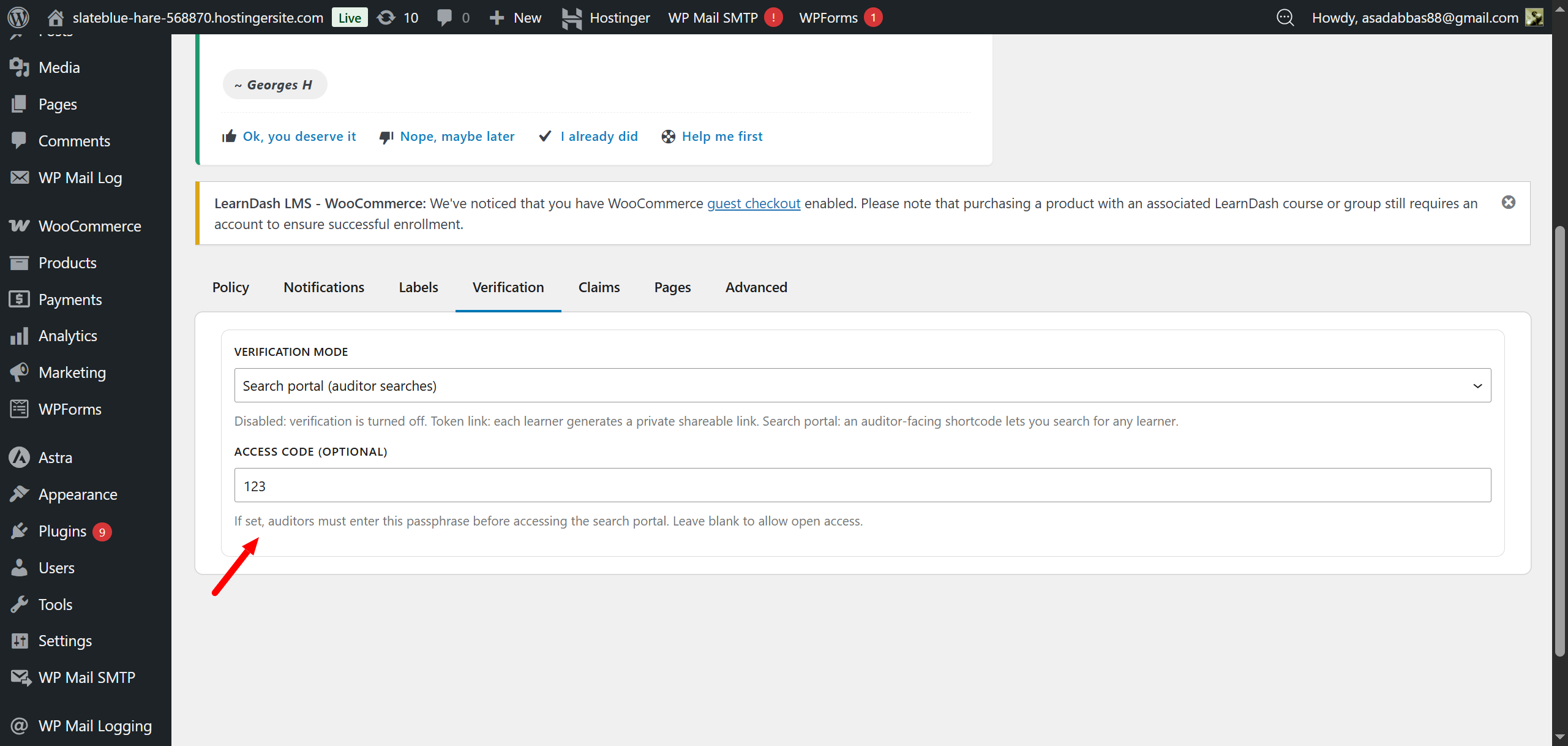
[ldcpd_verify]Navigate to LearnDash CPD → Settings and open the Verification tab.
Choose one of the three available options:
- Disabled
- Learner Share Token (User-Controlled)
- Auditor Search Portal (Global Search)
Learner Share Token Mode
- Learners can visit their front-end dashboard to generate a unique link to share their CPD records.
- This unique link can be copied, regenerated, or revoked entirely by the user at any time.
Auditor Search Portal Mode
- If this mode is selected, admins can set a secret phrase (access key) within the settings.
- Auditors visit the verification page and must enter this secret phrase to authorize their access.
- Once authorized, auditors can search for any specific user in the system to audit their progress.
What Auditors See
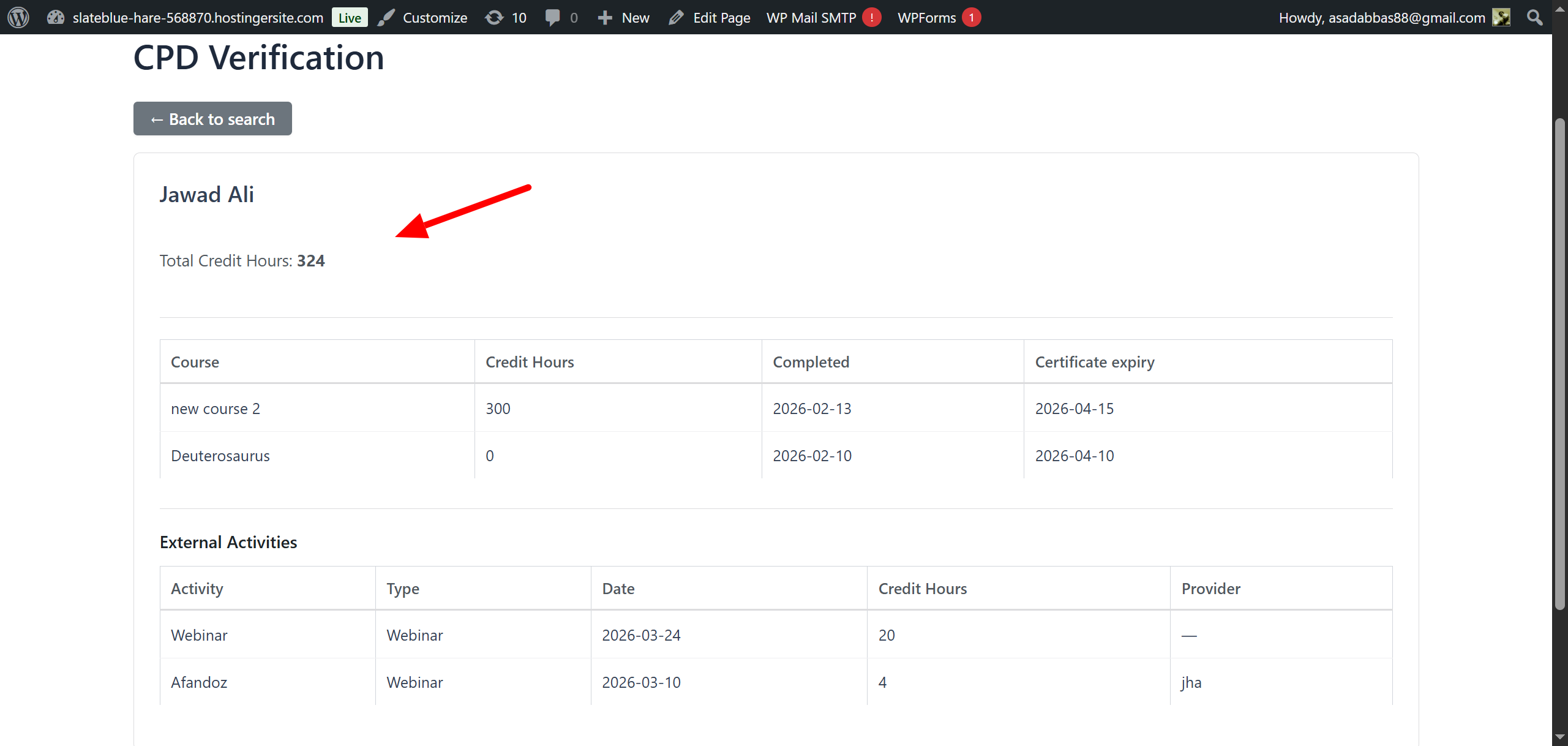
Whether visiting a learner’s generated link or searching for a user via the portal, auditors are presented with the following read-only details:
- Total credit hours.
- Individual courses with their respective credit hours.
- Course completion dates and certificate expiry dates.
- An External Activities section (if applicable) listing the activity name, type, date, credits, and provider for each audited off-platform activity.