














Overview
This module covers the extensibility surface introduced in v1.0.4 for developers building on or integrating with LD CPD. It documents the global action hook and the technical specification of the Webhook system.
Global action hook:
Signature
do_action( 'ldcpd_event_logged', $event_id, $args );This hook fires after every CPD history event is successfully persisted to the database. It is the recommended extension point for third-party developers who need to react to CPD events without patching core plugin code.
Parameters
| Parameter | Type | Description |
|---|---|---|
$event_id | int | The database ID of the newly created history event record |
$args | array | The full event arguments array, including event_type, user_id, course_id, and any event-specific metadata |
Available event types
The following values may appear as event_type within $args:
| Event type | Description |
|---|---|
enrollment | A learner has been enrolled in a CPD course |
completion | A learner has completed a CPD course |
course_reset | A learner’s CPD progress has been reset |
credits_earned | CPD credits have been awarded to a learner |
cert_email_triggered | A certificate notification email was dispatched |
claim_submitted | A learner submitted a CPD claim |
claim_approved | A CPD claim was approved |
claim_rejected | A CPD claim was rejected |
webhook_failed | A webhook delivery attempt failed (non-2xx response or network error) |
Example usage
add_action( 'ldcpd_event_logged', function( $event_id, $args ) {
    if ( 'completion' !== $args['event_type'] ) {
        return;
    }
    // Custom logic on completion events.
    my_plugin_handle_cpd_completion( $event_id, $args );
}, 10, 2 );
AutomatorWP generic hooks
In addition to the registered trigger classes , LD CPD fires two generic WordPress action hooks on every AutomatorWP-related event. These are intended for custom third-party integrations that need to tap into the AutomatorWP flow without registering a full trigger class.
Signatures
do_action( 'ldcpd_automator_event', $args );
do_action( "ldcpd_automator_event_{$event_type}", $args );
Behaviour
| Hook | Fires |
|---|---|
ldcpd_automator_event | On every AutomatorWP-related CPD event |
ldcpd_automator_event_{event_type} | On a specific event type only (e.g. ldcpd_automator_event_completion) |
The dynamic {event_type} segment corresponds to the same event type values listed in Module 10.
Example usage
// Fires on every AutomatorWP event.
add_action( 'ldcpd_automator_event', function( $args ) {
    my_plugin_handle_automator_event( $args );
} );

// Fires only when credits are earned.
add_action( 'ldcpd_automator_event_credits_earned', function( $args ) {
    my_plugin_handle_credits( $args );
} );
Webhook system: technical specification
Transport
All webhook deliveries are sent as HTTP POST requests with a Content-Type: application/json header. The request body is a JSON-encoded payload as described below.
Payload structure
json
{
  "event":      "completion",
  "event_id":   1042,
  "user_id":    57,
  "timestamp":  "2026-04-01T09:15:00+00:00",
  "data":       { },
  "site_url":   "https://example.com"
}
Request signing (HMAC-SHA256)
When a secret key is configured for a webhook endpoint, LD CPD signs the raw JSON payload and includes the signature in a request header:
X-LDCPD-Signature: sha256=<hex-encoded-signature>The signature is computed as:
HMAC-SHA256( key=<secret>, message=<raw JSON body> )Receiving endpoints should compute the same HMAC over the raw request body and compare it to the value in the header to verify payload integrity before processing.
Failure handling and loop prevention
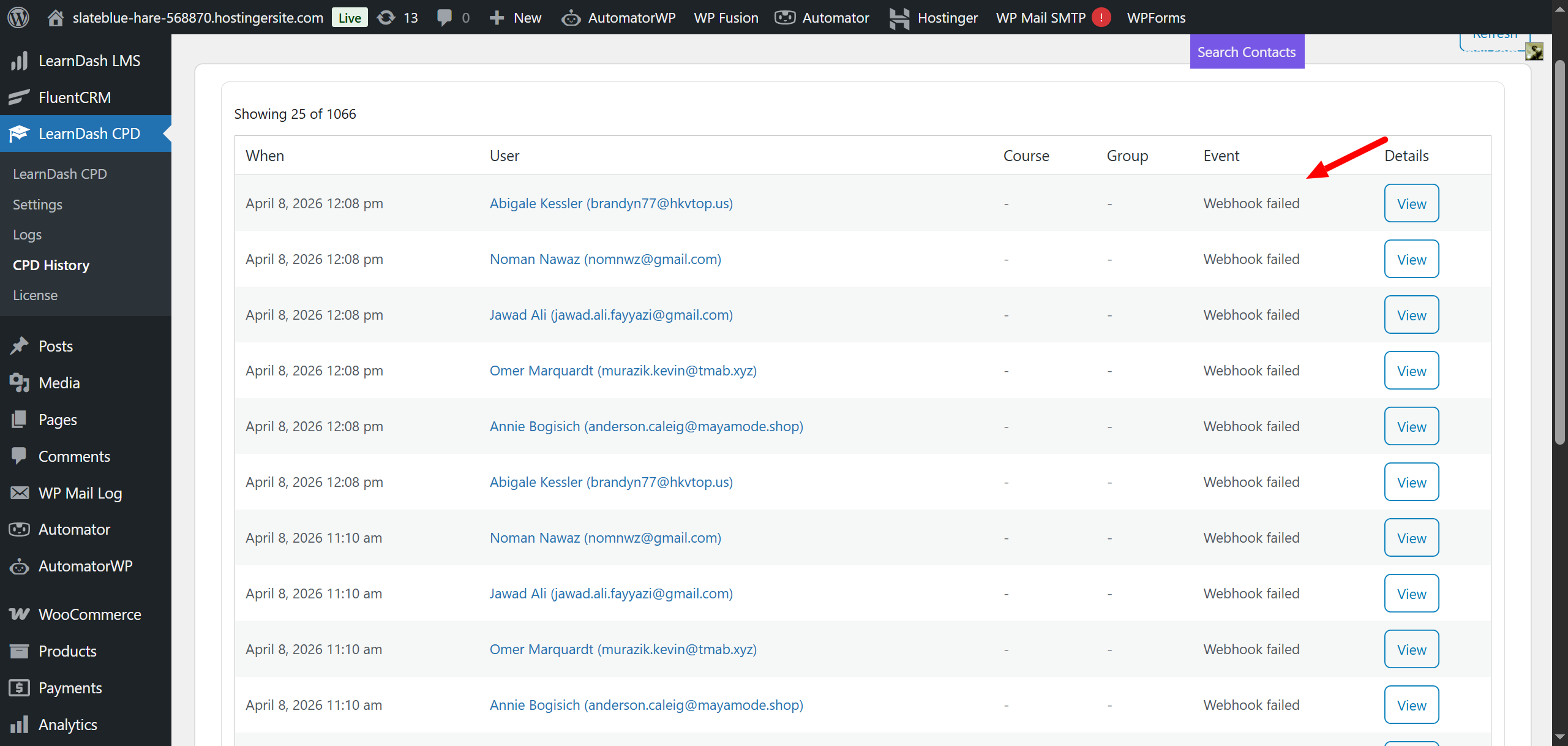
A delivery is considered failed if the endpoint returns a non-2xx HTTP status code or if a network-level error occurs. Failures are logged as webhook_failed events in the CPD History table.
webhook_failed events are explicitly excluded from triggering further webhook dispatches. This prevents infinite recursion when a webhook endpoint is subscribed to all events (*) and a delivery failure would otherwise generate another webhook_failed event, which would trigger another dispatch attempt.
Event subscription
Each configured webhook subscribes independently to a set of event types via the admin UI (Settings → Integrations → Webhooks). A webhook may subscribe to one or more specific event types, or to the wildcard * value to receive all events. The wildcard does not include webhook_failed events.