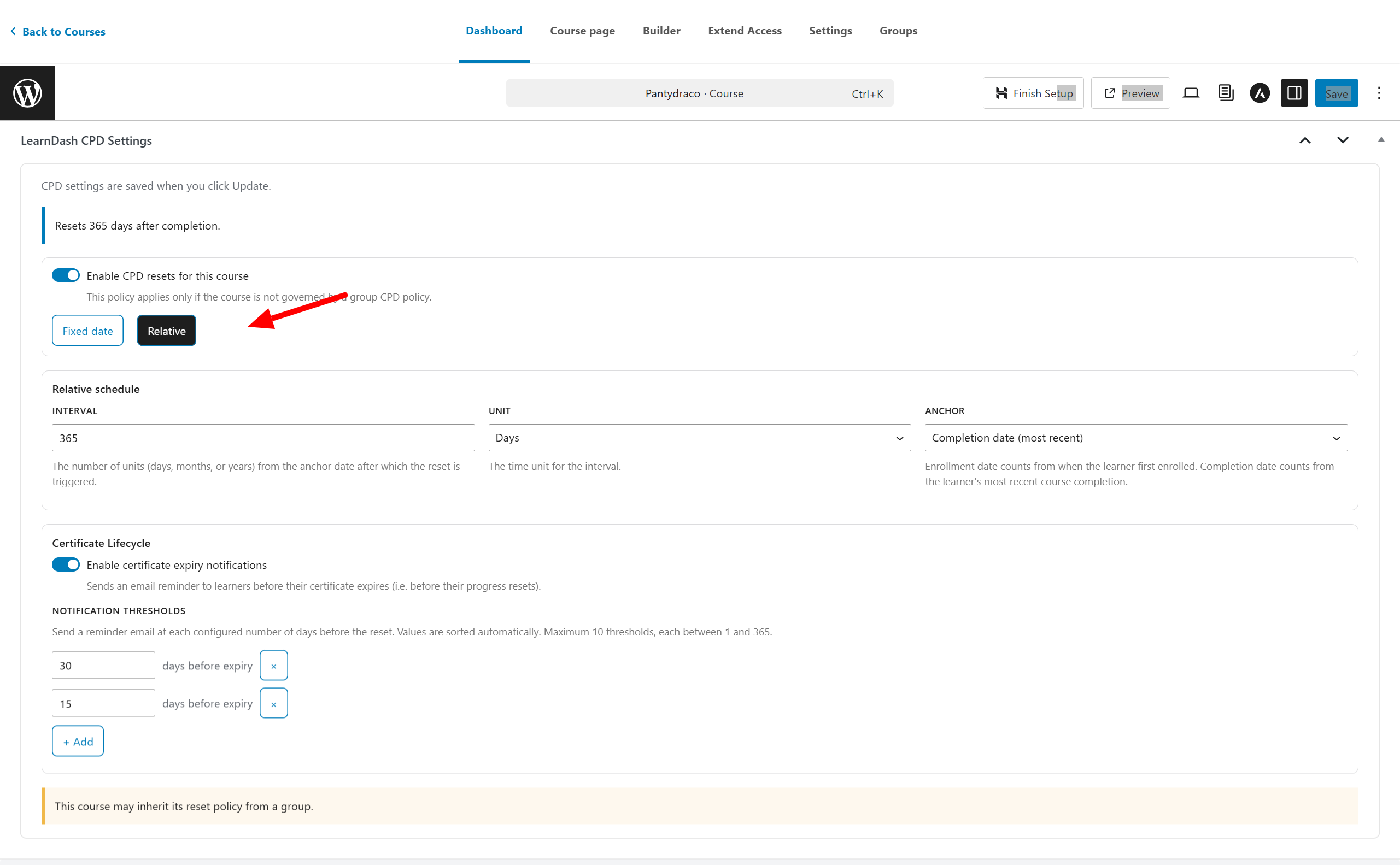
















Course-level reset policies allow you to define a CPD reset schedule specifically for a single course. A course-level policy is only used when no group-level policy exists. If the course belongs to a group that has its own CPD reset policy, the course settings will be ignored.
Open the Course CPD Settings
Go to: WordPress Admin → Courses → Edit (select a course)
Inside the course editor, scroll to find the section named CPD Settings.
You will see a message such as: “CPD settings are saved when you click Update.”
If no policy is configured, you will also see: “No CPD reset configured.”
Enable CPD Reset for the Course
Click the button: Enable CPD reset for this course
Once enabled, two tabs appear:
- Fixed Date
- Relative
If the course is inside a group with a CPD policy, the page will show a conflict note like:
“This course is read-only because it inherits its CPD policy from a group.”
In that case, the course policy cannot be edited.
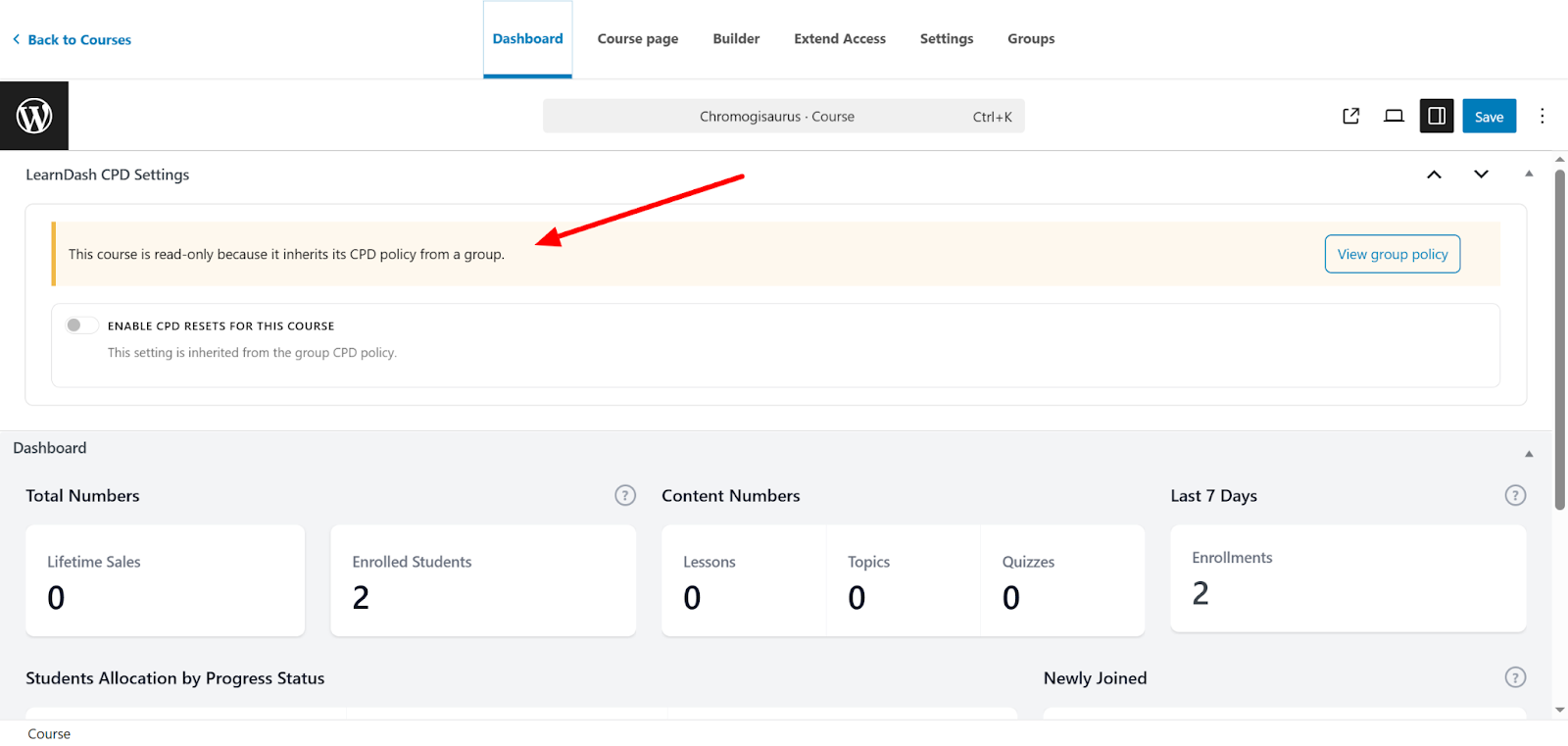
Fixed Date Reset Policy (Course-Level)
This works exactly like the group-level fixed date policy. Use this when you want all learners in this course to reset on the same date and time.
Fields Explained
Frequency
- Monthly
- Yearly
Month
Visible only when “Yearly” is selected.
Day
Reset will run on the selected day of the month.
Hour
Select the hour at which the reset should be executed.
Time Zone
Controls the exact time the reset runs based on the selected region.
Certificate Lifecycle – Multiple Expiry Notifications
Enabling this feature allows users to receive reminder emails before their certificates expire. All email triggers are recorded for audit purposes.
Notifications
- Add up to 10 separate expiry notifications.
- Each notification can be scheduled 1–365 days before the certificate expiry date.
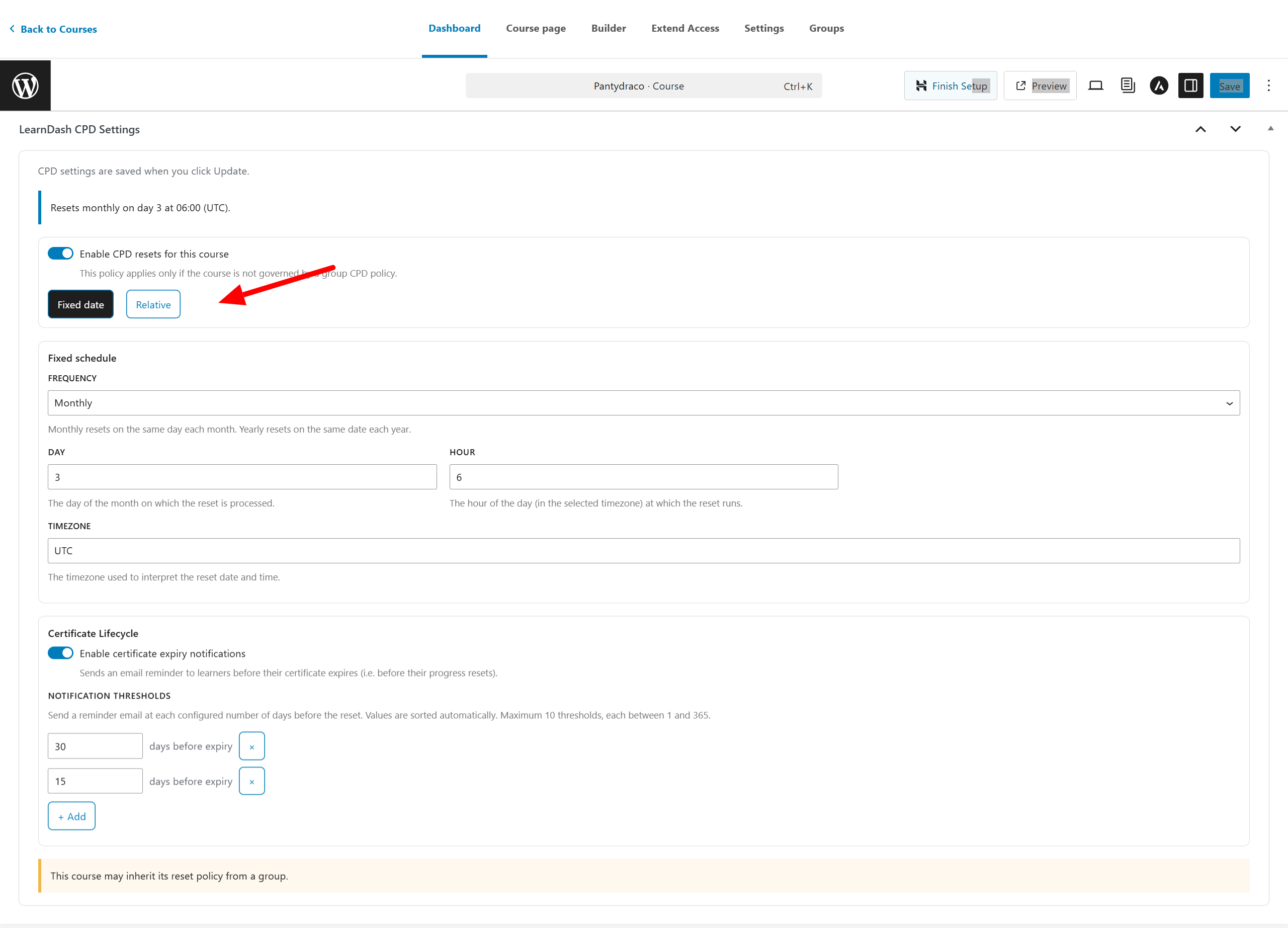
Relative Reset Policy (Course-Level)
This policy resets each user based on their own learning timeline.
Fields Explained
Interval
Numeric value for the reset interval (e.g., 365, 12, 24)
Unit
- Days
- Months
- Years
Anchor
- Enrollment Date
- Completion Date (most recent)
Certificate Lifecycle – Multiple Expiry Notifications
Enabling this feature allows users to receive reminder emails before their certificates expire. All email triggers are recorded for audit purposes.
Notifications
- Add up to 10 separate expiry notifications.
- Each notification can be scheduled 1–365 days before the certificate expiry date.
Save the Course CPD Policy
After configuring the settings, click: Update (top-right of the course editor)
This saves the selected CPD reset policy for the course.