















This feature allows admins to manually assign CPD credits to learners for external activities.
Adding Manual Credits
Navigate to LearnDash CPD → Logs and open the Manual Credits tab to view all past assigned credits.
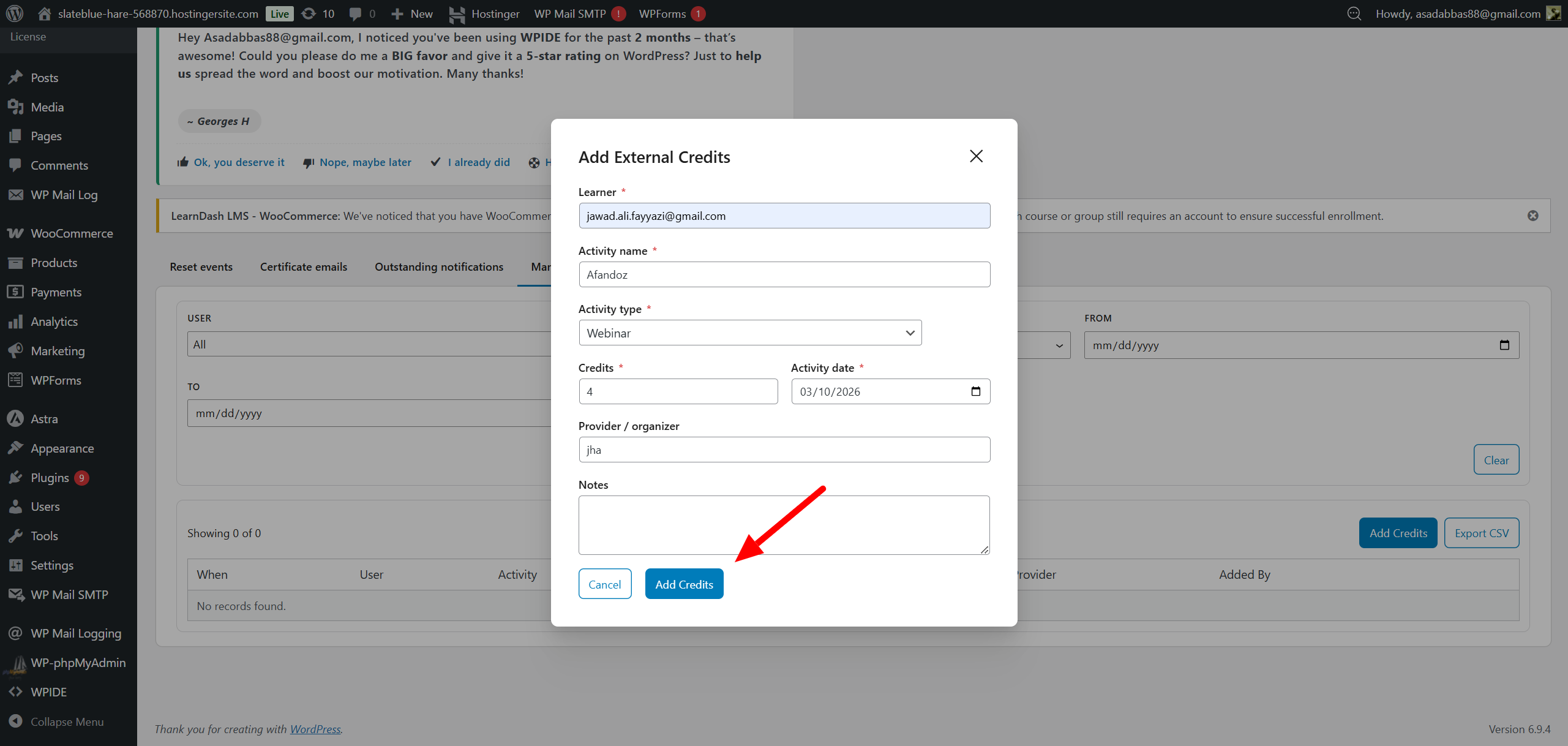
Click the Add credits button.
Fill out the required details:
- Learner (User)
- Activity Name
- Activity Type (same options as Learner Claims)
- Credits Amount
- Activity Date
- Provider/Organizer (Optional)
- Notes
Editing and Exporting
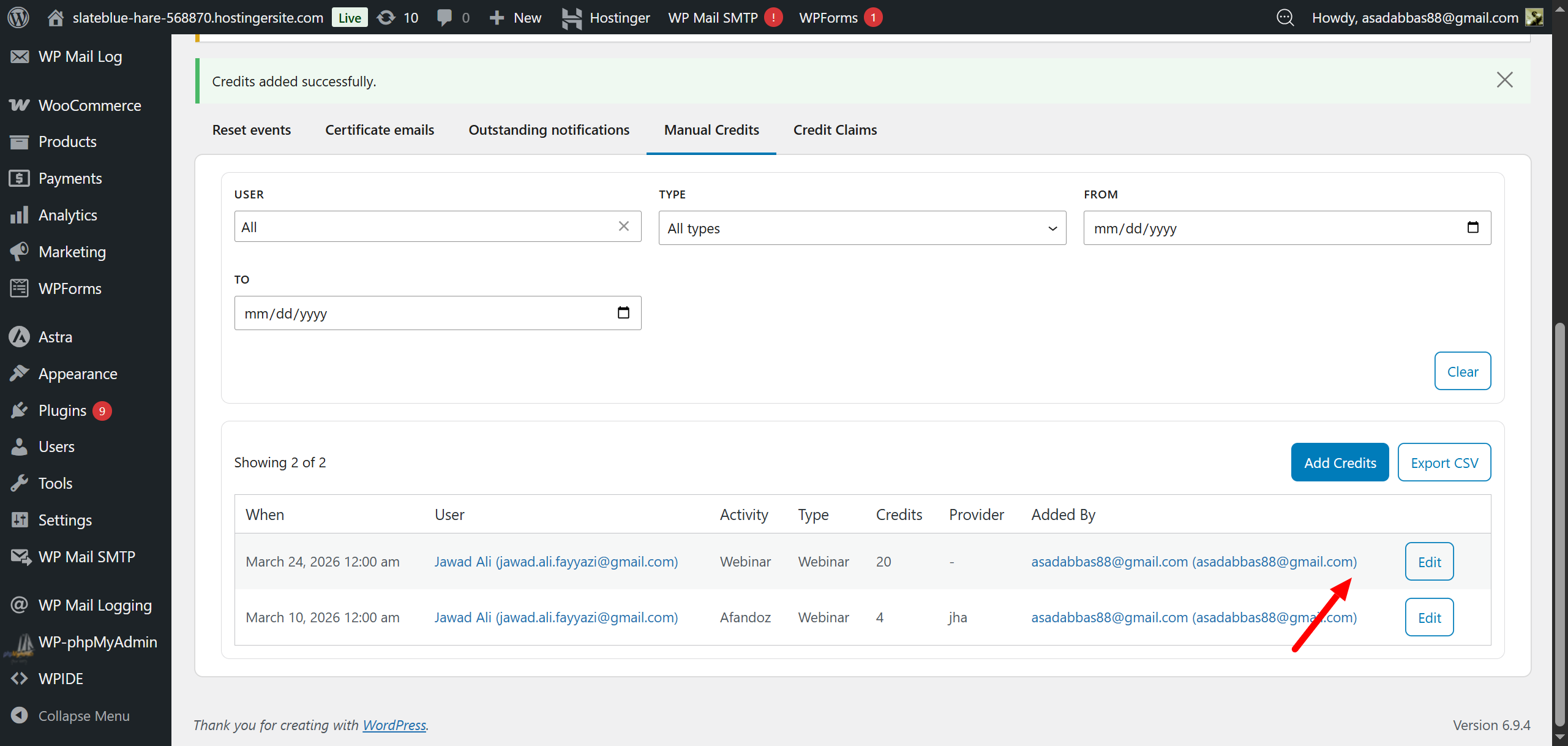
Existing credits can be modified by clicking Edit on any record and updating the specific fields.
You can export the complete manual credits log as a CSV file by clicking the export button.
Frontend Visibility
All manually added credits will instantly reflect on the learner’s front-end CPD dashboard under the External Activities section.
These entries will also appear on the public verification page to assist with external auditing.