















This feature allows learners to submit off-platform activities for admin approval.
Enabling Credit Claims
Navigate to LearnDash CPD → Settings, open the Claims tab, enable the credit claims feature, and save your settings.
How Learners Submit Claims
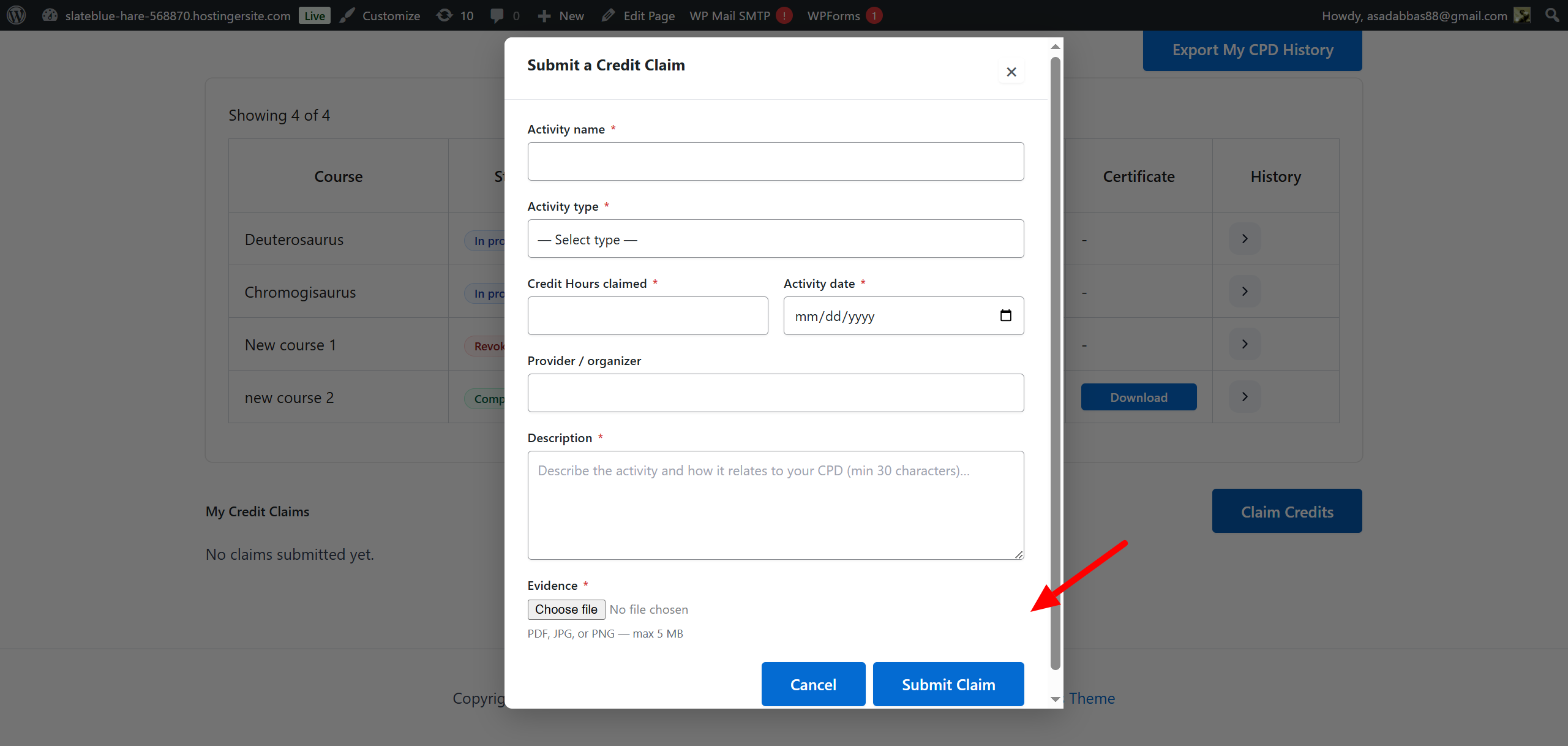
Learners access their front-end LearnDash CPD dashboard and click the Claim credits button.
A modal will appear requiring the following details:
- Activity Name
- Activity Type
- Claimed Points
- Activity Date
- Provider/Organizer (Optional)
- Description
- Evidence Upload (PDF, JPG, or PNG)
Available Activity Types include: Webinar, Virtual Session, Conference/Summit, In-Person/Training, Workshop/Seminar, Online Course (External), Self-Study, Publication/Article, and Other.
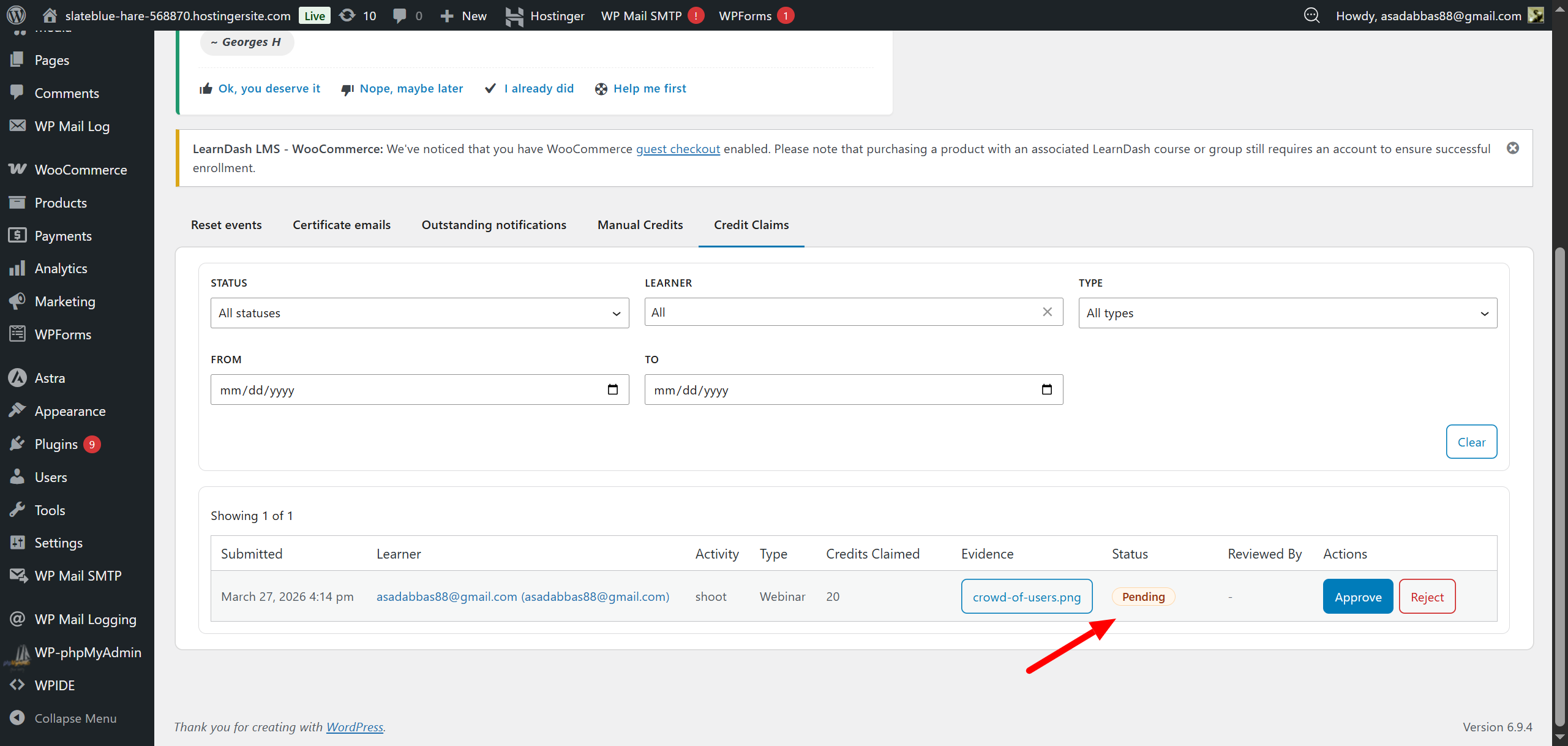
Once submitted, the learner can view the claim in their My Credits Claim section with a Pending status.
The Admin Review Process
Admins navigate to LearnDash CPD → Logs and open the Credits Claimed tab.
This screen displays a list of all user claims, including details like submission date and attached evidence.
Admins can click to Approve or Reject the claim.
- Rejecting: Admins have the option to add a custom reason for the rejection.
- Approving: Admins can adjust the final amount of credits awarded out of the initially claimed amount.
Notifications & Visibility
- Admins receive an email notification when a new claim is submitted.
- Learners receive an email notification when their claim is approved or rejected.
- Approved claims immediately update the status in the backend logs, the user’s front-end dashboard, the front-end External Activities section, and the verification page for auditing.