















A 20% discount can look great on the product page, but if it reaches the wrong customer, quantity, or product, you may end up selling more and earning less.
That is the problem with using the same discount for everyone. A shopper buying one item does not always need the same deal as someone buying twenty. A wholesale buyer may also need different pricing from a regular retail customer.
So how can you make discounts work harder without giving away too much margin?
A smarter approach is to use WooCommerce dynamic pricing, which lets you apply discounts only when the right customer or order meets the conditions you choose. You can base those conditions on quantity, cart value, customer type, product, purchase history, or time.
In this guide, we’ll look at bulk discounts, tiered pricing, B2B pricing, cart rules, customer-specific offers, setup, margin protection, SEO, tracking, and how to tell whether your pricing strategy is actually working. Read on!
What Is WooCommerce Dynamic Pricing?
WooCommerce dynamic pricing changes the price or discount automatically when a rule is matched. The customer does not need a coupon. Once the order reaches the right quantity, the pricing rule can apply automatically.
Rules can also respond to cart value, user role, product category, purchase history, specific customers, or promotional periods. WooCommerce extensions currently support pricing based on products, order totals, roles, categories, quantity tiers, and other conditions.
That gives you much more control than putting every product on the same sale price.
Why Use Dynamic Pricing in WooCommerce?
Dynamic pricing is useful when you want the offer to change based on what the customer is doing rather than giving everyone the same deal.
Increase Order Size
One common goal is increasing order size. If someone can save more by buying ten units instead of seven, they have a clear reason to add more.
Improve Average Order Value
It can also help improve average order value. For example, if your typical order is around $75, you could offer a discount once the cart reaches $100. Some customers may add another product instead of checking out at $75.
Clear Slow-Moving Inventory
Then there is inventory. Slow-moving or seasonal products do not always need a permanent price cut. You can create a temporary category, quantity, or scheduled rule to help move stock without changing prices across the rest of the store.
Encourage Repeat Purchases
Dynamic pricing can also support retention. Repeat customers, members, wholesalers, or selected accounts can receive better pricing automatically without entering a coupon every time.
Reduce Manual Pricing Work
There is also one practical benefit that is easy to overlook. Automation saves work. Instead of editing prices before every campaign and changing them back afterward, you can set the conditions once and let the pricing rule handle it.
That is why WooCommerce dynamic pricing works best when it supports a clear business goal instead of simply adding another discount.
Dynamic Pricing vs Regular Discounts
Dynamic pricing and a normal sale are not quite the same thing.
| Pricing Method | How It Works | Customer Action | Best For |
| Regular sale price | Same reduced price for everyone | None | Simple promotions |
| Coupon | Discount applies after a code | Enter code | Campaigns |
| Dynamic pricing | Price changes when conditions are met | Usually automatic | Targeted pricing |
A normal sale works when everyone should get the same offer. A coupon works when you want the shopper to enter a code. Dynamic pricing makes more sense when the deal depends on who is buying, what they are buying, or how much they are buying.
Now the next question is which rule fits your store.
Which WooCommerce Dynamic Pricing Strategy Fits Your Store?
Start with the outcome you want.
| Your Goal | Pricing Strategy |
| Increase units per order | Bulk quantity discount |
| Encourage customers to reach a higher quantity | Tiered pricing |
| Increase cart value | Cart threshold pricing |
| Offer wholesale rates | Role-based pricing |
| Reward specific customers | Customer-specific pricing |
| Encourage first purchase | First-time buyer pricing |
| Move slow stock | Product or category pricing |
| Run promotional offers | BOGO / Buy X Get Y |
| Automate campaigns | Scheduled pricing |
This is a better starting point than switching on every rule your pricing plugin offers.
Core WooCommerce Pricing Strategies
Different rules solve different problems. You do not need all of them. You need the ones that match the way your customers buy.
1. Bulk Quantity Discounts
WooCommerce bulk discounts reduce the unit price when the shopper buys more. This works well for parts, packaging, supplies, consumables, ingredients, and wholesale products where larger quantities already make sense.
WooCommerce pricing tools can create quantity bands with minimum and maximum ranges, then apply a different discount at each level. But bigger orders do not automatically mean better profit.
If your 20% discount cuts too deeply into margin, you may increase units sold while earning less from each order. So bulk pricing works best when the lowest tier still leaves enough room for the sale to make sense.
2. Tiered Pricing
WooCommerce tiered pricing makes the next price break visible.
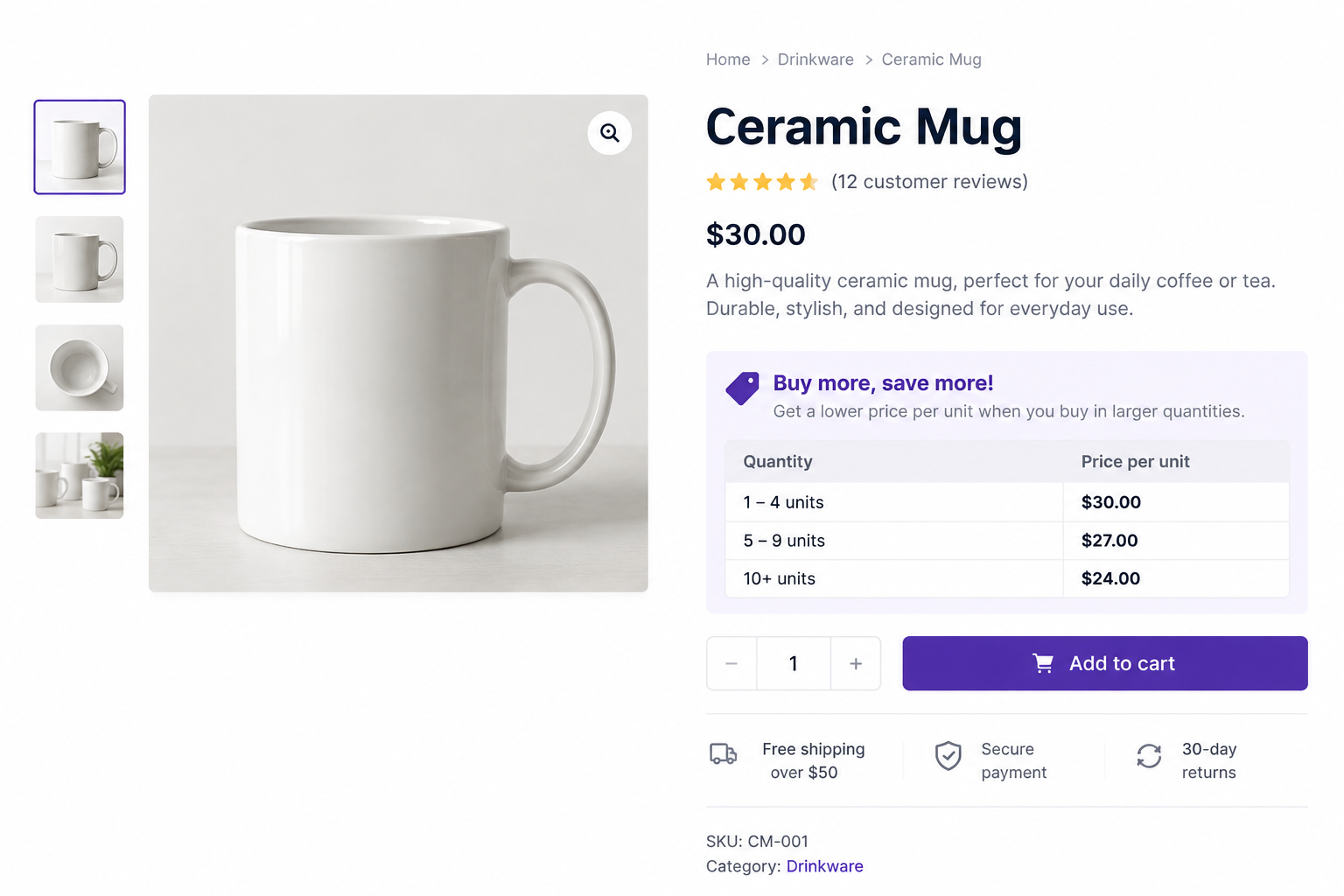
Now imagine a buyer plans to order eight units. If the product page shows that eleven units cost $22 each, they can immediately see what happens if they increase the order.
WooCommerce tiered-pricing tools can show quantity bands on product pages and, depending on the cart setup, in the cart as well. The pricing table becomes part of the selling process instead of just a backend rule.
3. Cart Total Pricing
Cart pricing changes the discount once the order reaches a certain value.
This can encourage customers to add another product instead of checking out just below the next threshold. Suppose your current average order value is $82.
A first threshold at $85 may not change much because many customers would reach it anyway. A threshold around $100 or $110 may create a clearer reason to spend more. That is only an example. Your own order data should decide the threshold.
4. Role-Based and B2B Pricing
Role-based pricing gives different customer groups different prices.
For example:
Retail customer → $50
Wholesale customer → $38
VIP reseller → $34
This works well when your store serves trade customers alongside regular shoppers. WooCommerce pricing rules can be restricted by user role, and quantity tiers can also be limited to wholesale-style customer roles.
You can also connect this with membership or loyalty programs. A Gold member might automatically receive a better price than a standard account without needing a coupon.
5. Customer-Specific Pricing
Role-based pricing works at group level. Customer-specific pricing goes further. You may charge most distributors $40 per unit, but one large customer has negotiated a contract price of $36.
That account can receive its own pricing without changing the price for every other distributor. This is useful for long-term contracts, high-volume accounts, negotiated B2B deals, and strategic customers.
WooCommerce pricing tools can target specific customers as well as roles. Keep these rules organised, though. Once many customers have separate pricing, it becomes much easier to lose track of who gets what.
6. First-Time Buyer Pricing
A first-order discount can give new shoppers a reason to try the store without reducing prices for everyone.
First order → 10% off
The important part is that the offer applies once rather than becoming a permanent lower price. This works well when customers need a small push before making their first purchase.
Some WooCommerce dynamic-pricing tools support first-order, nth-order, next-purchase, and repeat-customer rewards.
7. Category and Product Pricing
Sometimes only part of the catalog needs a different price.
You might run: 20% off the Summer Collection or 15% off selected clearance SKUs
This is useful when you want to move slow inventory or promote one category without reducing prices across the whole store. WooCommerce pricing extensions can target individual products, categories, tags, attributes, and even specific variations. That gives you much tighter control than a store-wide sale.
8. BOGO and Buy X Get Y
BOGO does not have to mean only “buy one, get one free.”
You could run: Buy 2 → Get 1 Free or Buy Product A → Get Product B Free
WooCommerce dynamic-pricing tools can create Buy X Get Y rules that add the reward product when the basket qualifies and remove it if the qualifying conditions are no longer met.
This can protect the perceived value of the main product because you are adding value instead of reducing every unit price. That makes it useful for accessories, clothing, beauty products, consumables, and bundles.
9. Scheduled and Time-Based Pricing
Some pricing rules only need to run for a short period. That could be Black Friday, a weekend sale, a launch offer, or seasonal clearance.
For example: 20% off Friday 00:00 → Sunday 23:59
The main advantage is automation. Instead of editing products manually at the start and end of the campaign, the rule can run according to the schedule you set.
How to Set Up WooCommerce Dynamic Pricing
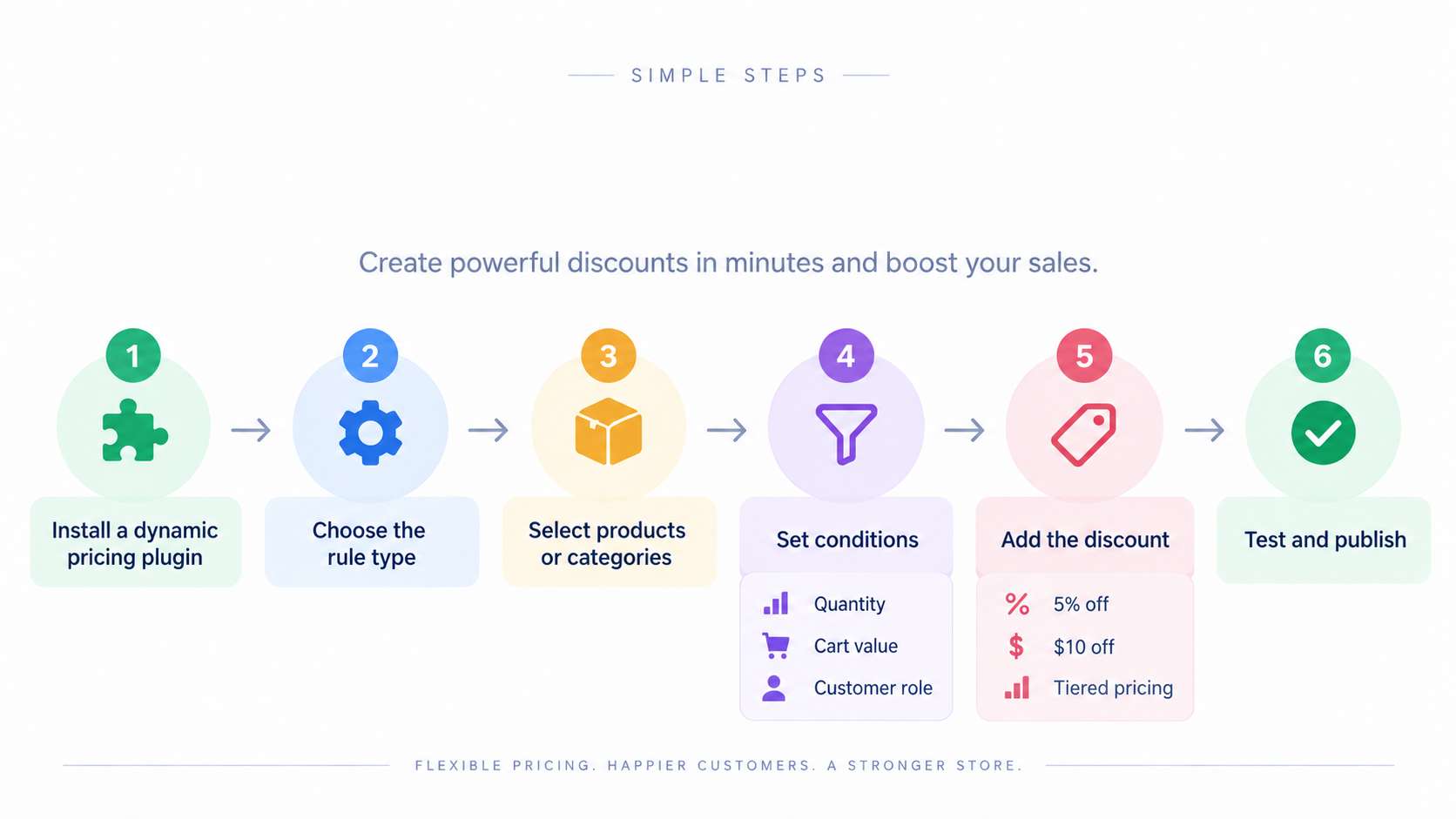
Once you know the pricing strategy, the setup becomes much easier. The exact screen changes from plugin to plugin, but the logic usually stays the same.
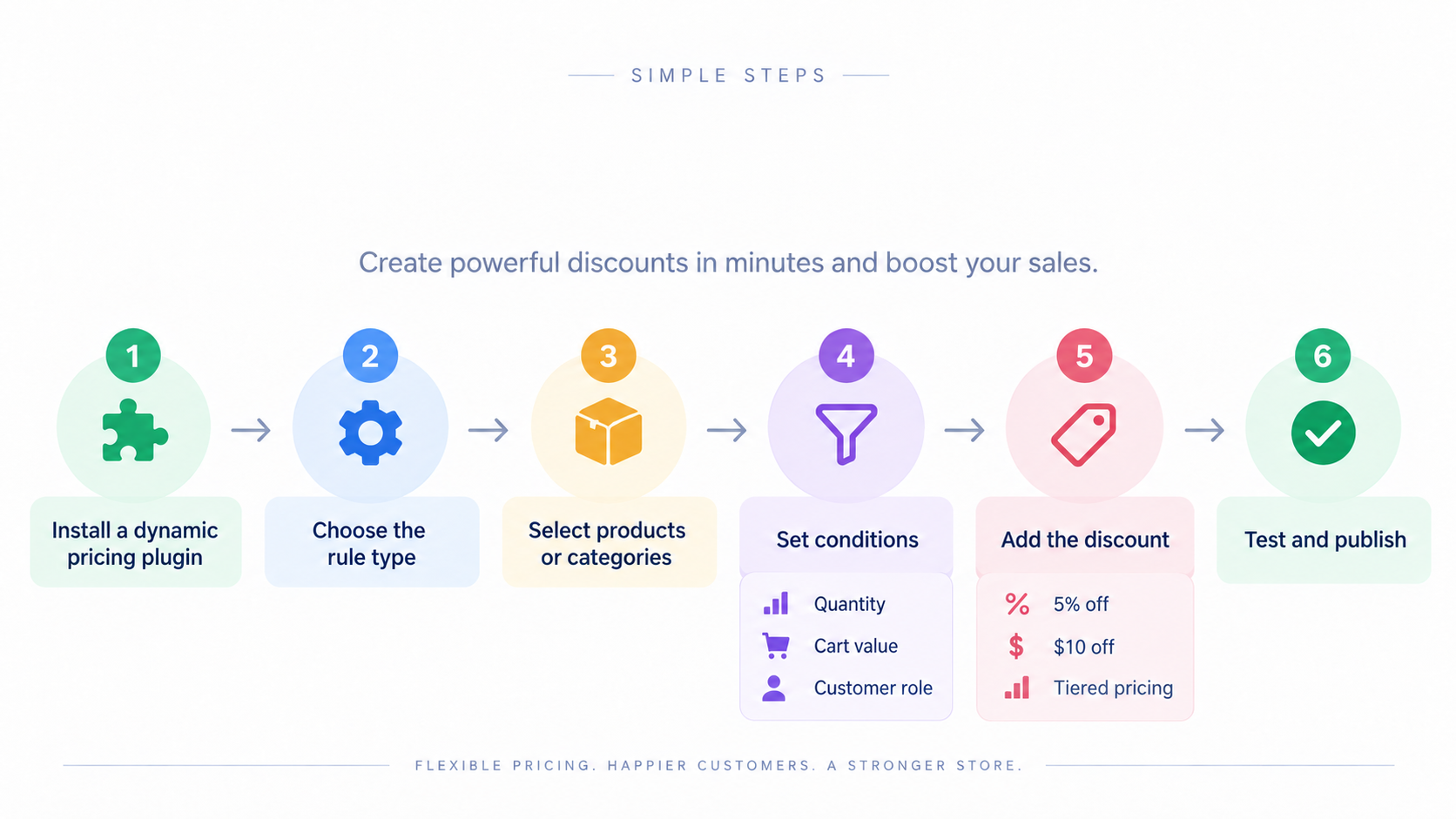
Let’s look at each step in more detail so you can see how to set up the pricing rules correctly from the start.
Step 1: Choose a Dynamic Pricing Plugin
WooCommerce core handles standard product prices, sale prices, and coupons, but native WooCommerce does not include quantity-based bulk pricing. That requires an extension or plugin.
Some tools focus on tiered pricing. Others add BOGO, cart rules, role-based pricing, customer-specific pricing, repeat-customer rewards, or advanced scheduling. Choose the plugin based on the rules you actually need.
If your pricing depends on more complex conditions, external systems, or business-specific logic, custom WooCommerce development may be a better fit than trying to force everything through a standard plugin
Step 2: Decide What Triggers the Price Change
Next, define the condition.
For example: Give Wholesale customers 15% off when they buy 10 or more units.
That already tells you the three important parts:
Who: Wholesale customers
When: 10+ units
What happens: 15% discount
Other triggers could be cart value, product category, customer account, purchase history, or time.
Step 3: Choose the Price Adjustment
Most pricing rules use a percentage reduction, fixed reduction, or another fixed pricing method.
For example: Regular price: $50 and 10% discount → $45
Or you may decide that the customer should pay a specific amount instead. Keep the adjustment method simple enough that your team can understand and maintain it.
Step 4: Set Minimum and Maximum Conditions
Now define the exact ranges.
For example:
5–9 units → 10% discount
10–19 units → 15% discount
Tiered WooCommerce pricing tools use minimum and maximum quantity bands for this type of setup. Those ranges should not overlap. If two tiers overlap, you may create pricing results that are difficult to predict.
Step 5: Decide Which Customers and Products Qualify
Be specific about the scope. Decide whether the rule applies to everyone, one customer role, one customer, one product, one variation, or an entire category. Also check whether products already on sale should qualify. The clearer the scope, the less likely you are to discount something by mistake.
Step 6: Show the Pricing Rule to Customers
Do not make customers discover the discount by accident. Show it clearly. WooCommerce pricing tools can show reduced prices, offer messages, and tier tables on product or shop pages, depending on the rule type.
You can also use messages such as: Buy 2 more to reach the next price level
That makes the pricing rule easier to understand and gives the customer a reason to act.
Step 7: Test the Rule Before Launch
Do not test only one successful scenario. Check the rule below the threshold, exactly at the threshold, and above it. Then test logged-in and logged-out users, variable products, sale products, coupons, tax, cart totals, checkout, and mobile.
Also test what happens when two pricing rules can apply at the same time. That is where many pricing problems start.
Protect Your Margin Before Setting Discounts
A discount can increase order size and still reduce profit.
Take this simple example:
Selling price: $50
Product cost: $28
Other variable costs: $5
That leaves $17 before the discount. Now apply a 30% discount. Thirty percent of $50 is $15. That leaves only $2 before other overhead. Suddenly, a promotion that looked generous also looks much riskier. Before setting a pricing rule, work out how much room you actually have.
A simple way to think about it is:
Selling price – product cost – variable costs – required margin = discount room
You do not need a complicated finance model. You just need to know the point where selling more stops being worth it.
Prevent Pricing Rules From Stacking Unexpectedly
Pricing becomes risky when several rules can affect the same order. Imagine a customer qualifies for a 15% VIP discount, a 20% bulk discount, and a 10% coupon. If everything stacks, the final price may fall much further than you intended.
WooCommerce pricing tools include settings for how automatic discounts and coupons combine, and some rule systems use priority or first-match logic to control overlaps. Before launch, decide whether multiple discounts should combine or whether one rule should win.
The exact setting will depend on your plugin. The important part is deciding it yourself rather than finding out after a customer receives a discount you never planned.
Make Dynamic Pricing Clear to Customers
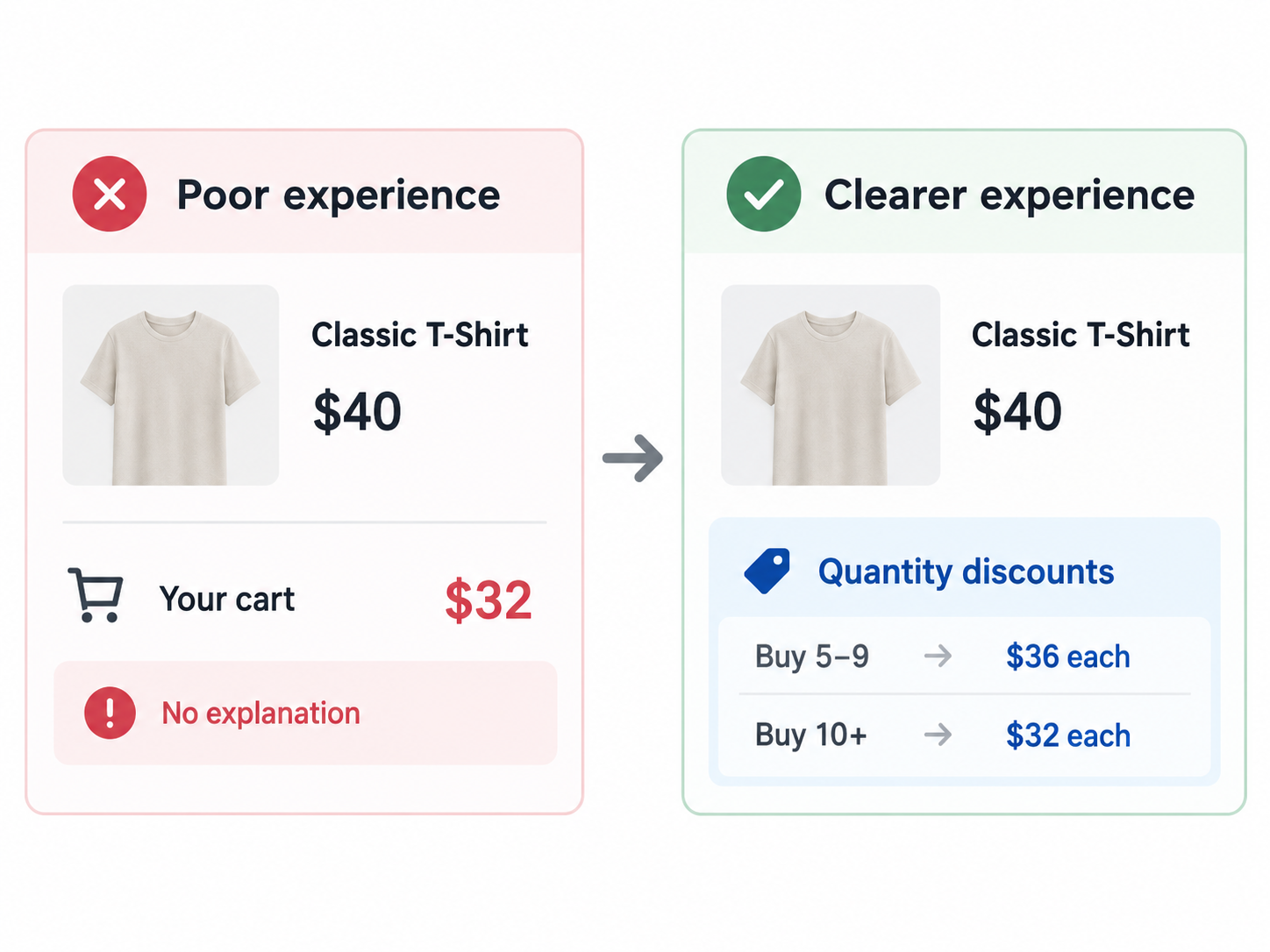
A good pricing rule should be easy to understand. Now the shopper knows what they need to do, what they save, and when the price changes. You can also use progress messages such as “Buy 2 more to save 15%.”
For members or VIP buyers, showing that the price is tied to their account can make the benefit feel more valuable. Time-limited offers can create urgency too, but keep the wording clear. If the deal ends Sunday, say that. Do not manufacture pressure that is not actually there. Pricing rules should feel predictable, not random.
Keep Dynamic Pricing SEO-Friendly
Dynamic pricing can affect how product prices appear to shoppers and search engines, so the setup needs a little care. Keep the same main product URL instead of creating separate URLs just because the price changes for quantity or customer type.
Also check how product schema and visible pricing behave when the rule is active. If your pricing only appears after JavaScript runs, test whether the normal product page still exposes the information search engines and shoppers need.
The goal is not to create a different SEO version of every price. It is to keep the product page stable while the pricing rule handles the conditions behind the scenes.
How to Measure Whether WooCommerce Dynamic Pricing Is Working
Look at metrics such as average order value, units per order, conversion rate, gross margin, revenue per order, discount amount, repeat purchases, and profit per order.
For example:
Before Tiered Pricing
AOV: $72
Units per order: 2.1
Gross profit per order: $26
After Tiered Pricing
AOV: $91
Units per order: 3.0
Gross profit per order: $28
In this case, customers buy more and profit per order also improves. Now imagine AOV rises to $95, but gross profit per order falls to $20. Revenue still went up.
But the pricing rule may not actually be helping the business. There is another thing to watch here. Some pricing plugins can show that a discount was applied but may not give you a clear performance breakdown for each pricing rule.
If you run several strategies at the same time, you may need WooCommerce order data, GA4, or custom reporting to compare which rules are actually producing profitable orders. That is why measurement should be part of the setup, not something you think about months later.
Common WooCommerce Dynamic Pricing Mistakes
The biggest problems usually come from rules that were not thought through before launch.
- Setting tiers without checking margin can leave you with bigger orders but weaker profit.
- Creating too many pricing levels can make the offer harder to understand instead of more attractive.
- Letting rules and coupons stack unexpectedly can push the final price below what you planned.
- Hiding the discount until checkout means the offer cannot influence the buying decision earlier.
- Applying a dynamic rule to products already on sale can create another discount on top of an existing markdown. Some pricing extensions let you exclude sale products from tiered rules.
- Forgetting variable products can create inconsistent prices across product variations.
- Testing only as an administrator may hide the experience a normal shopper, guest, wholesale buyer, or member actually sees.
- Running promotions without measuring the result leaves you guessing whether the strategy worked.
Need More Flexible Pricing for Your WooCommerce Store?
Most stores can handle common WooCommerce dynamic pricing rules with an existing plugin. But things get more complicated when pricing comes from an ERP, thousands of customers have separate contract prices, external stock or supplier data changes pricing, or several systems need to agree on the final amount.
Performance can also become a concern on large stores. If every product price must be checked against several customer, quantity, category, and account rules, poorly designed pricing logic can slow down the shopping experience.
In those cases, TeknoFlair can help with the setup or custom development for pricing logic, external integrations, or workflows that do not fit standard plugin settings.
Final Thoughts
The best pricing strategy is not the one that gives away the biggest discount. It is the one that gives customers a reason to buy more while still protecting the value of the order. Start with the goal. Decide who should get the offer and what should trigger it. Check the margin before launch, make the pricing clear to shoppers, and measure the result afterward.
Used properly, WooCommerce dynamic pricing gives you more control over how different customers, quantities, and orders are priced without relying on the same discount for everyone.
FAQs
Does WooCommerce Support Dynamic Pricing by Default?
WooCommerce core supports normal prices, sale prices, and coupons. Quantity-based bulk pricing and more advanced rule-based pricing generally need an extension or plugin.
What Is the Difference Between Bulk Pricing and Tiered Pricing?
Bulk pricing usually reduces the price once a quantity threshold is reached. Tiered pricing uses several quantity ranges, with a different price or discount at each level.
Can WooCommerce Prices Change Based on Quantity?
Yes. Pricing plugins can apply quantity bands such as 2–3 items at one discount and 4–9 at another.
Can I Give Different Prices to Wholesale Customers?
Yes. WooCommerce pricing rules can be restricted to specific user roles, including wholesale-style customer roles.
Can WooCommerce Apply Discounts Based on Cart Total?
Yes. Dynamic pricing extensions can apply discounts based on cart or order value.
Can Multiple Pricing Rules Run at the Same Time?
They can, but the result depends on the plugin. Some pricing systems allow rules to combine, while others use rule priority or first-match logic. Always test overlaps before launch.
Can Dynamic Pricing Reward Repeat Customers?
Yes. Some WooCommerce pricing extensions support first-order, nth-order, next-purchase, membership, and specific-customer discounts.
Does Dynamic Pricing Work With Variable Products?
Many extensions support variable products and individual variations, but the exact behavior depends on the rule type and plugin. Test important variations before launch.
