

Are customers buying your product but still asking how to use its basic features?
This often happens when customers understand what a product promises but do not know how to reach that result. They may struggle with setup, miss useful tools, or depend on support for every small question.
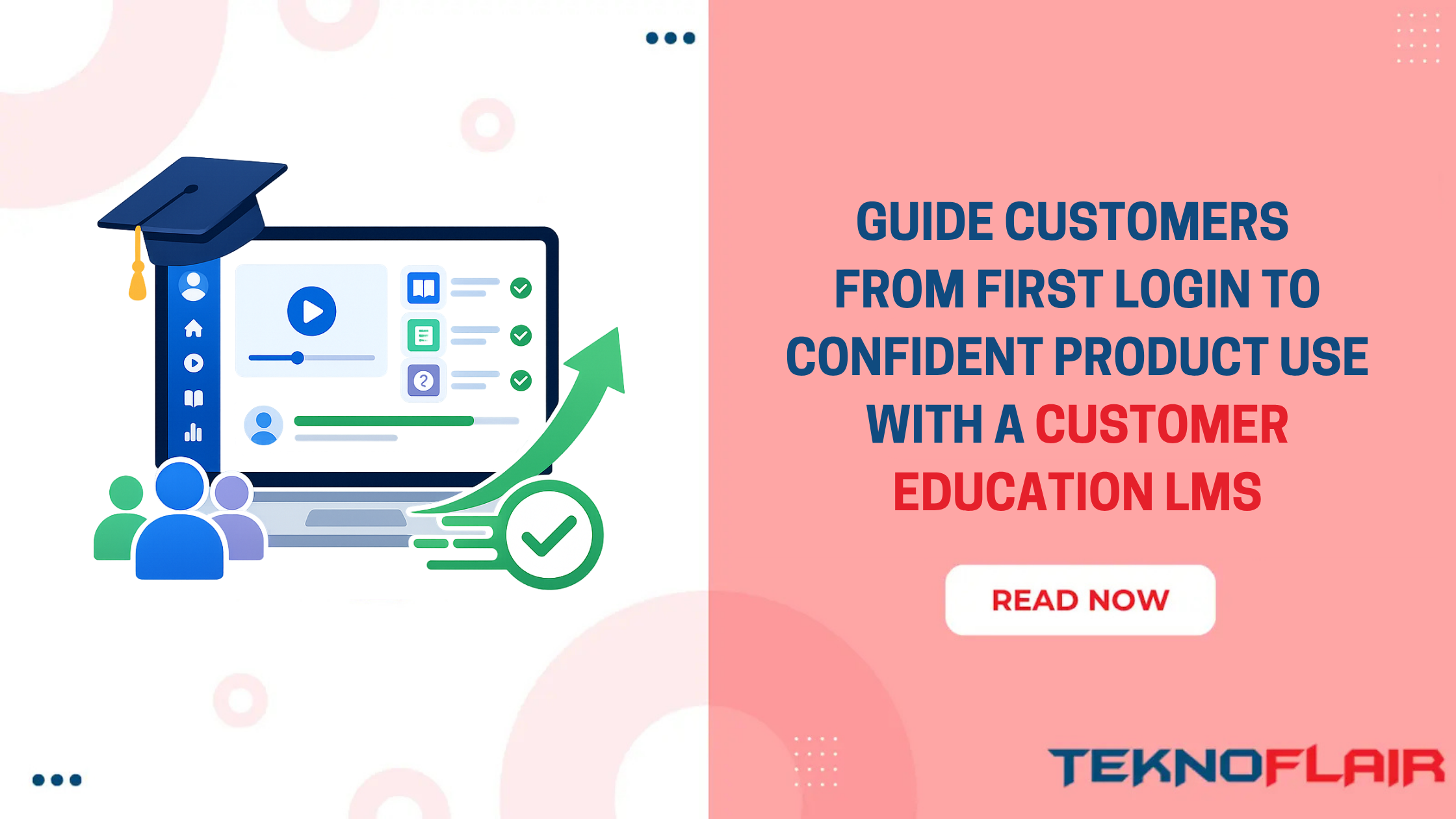
A customer education LMS gives clients one clear place to learn. Instead of searching through emails, help articles, old webinars, and video links, they follow a structured learning path. Each lesson helps them complete a task and move closer to the result they expected when they purchased your product.
This can improve more than course completion. A Forrester Consulting study commissioned by Intellum found that customer education programs produced an average 38.3% increase in adoption of products targeted by training. The study also reported a 26.2% improvement in customer satisfaction and a 15.5% decrease in support costs among trained customers.
The goal is to help customers reach value faster without depending on repeated support calls. TeknoFlair supports this by building WordPress and LearnDash learning portals for customer education. To understand how this works, first look at what a customer education LMS actually
What Is a Customer Education LMS?
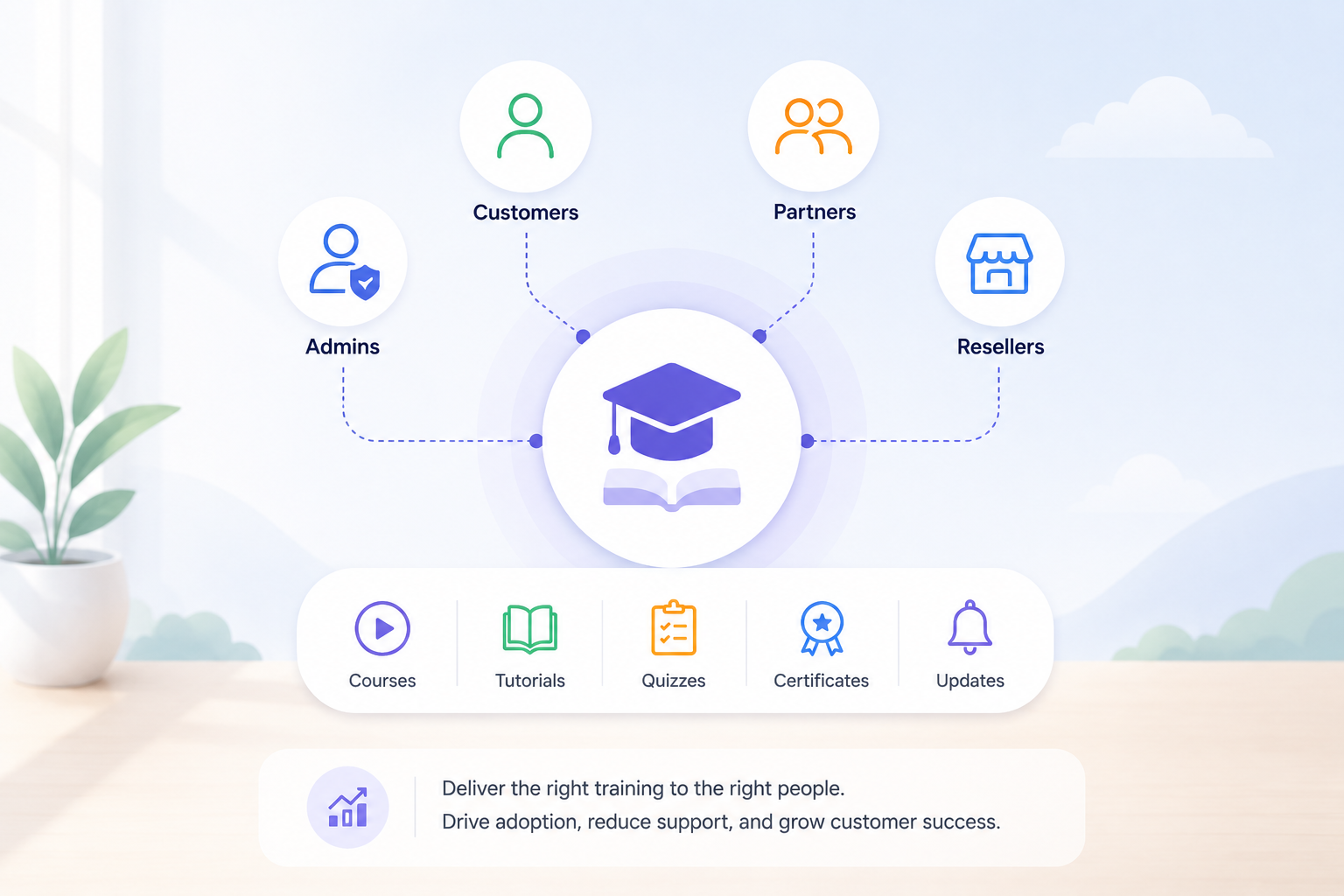
A customer education LMS is an online learning system used to teach customers how to use a product or service. It gives businesses a structured way to deliver onboarding courses, product tutorials, learning paths, quizzes, certifications, and feature updates.
An employee LMS trains people who work inside a company. A customer training LMS serves people outside the company, such as:
- New clients
- Account administrators
- Product users
- Partners
- Resellers
- Franchisees
- Subscribers
- Advanced or certified users
A customer learning portal may include short videos, written guides, interactive activities, checklists, recorded demonstrations, live sessions, and practical tasks.
For example, a project management software company could offer separate courses for account administrators, project managers, and team members. Each group would see the lessons connected to its work instead of sitting through the same general product tour.
This makes training more useful. It also stops businesses from giving every user the same information, even when their goals are different.
Why Customers Struggle to Understand a Product
Customers do not always struggle because the product is difficult. In many cases, the learning experience is the real problem. Information may exist, but customers cannot find it at the moment they need it. A product may have hundreds of help articles yet still leave new users unsure about their first step.
Here are some common reasons clients fail to understand a product quickly.
Too Many Features Appear at Once
A feature-rich product may look impressive during a sales demo. However, the same number of options can feel confusing after purchase.
New users may not know:
- Which feature to use first
- Which settings matter
- What they can ignore for now
- How different tools work together
- What a successful setup should look like
Showing everything at once creates more questions than answers. Good product education begins with a small number of actions that lead to an early result.
Onboarding Focuses on Information, Not Action
Some onboarding programs explain what a product does without helping users do anything with it. A client may watch a long presentation, read a product guide, and join a welcome call. Yet they may still finish the process without creating an account, importing data, inviting a team member, or completing another important action.
Strong customer onboarding connects every lesson with something the client must do.
For example:
- Watch a two-minute setup video.
- Complete the setup inside the product.
- Confirm that the first step is finished.
- Unlock the next lesson.
This creates progress instead of passive viewing.
Training Is Spread Across Too Many Places
Customers may receive product information through:
- Welcome emails
- PDF guides
- Help articles
- Recorded webinars
- Live demonstrations
- Support replies
- In-app messages
- YouTube videos
Each resource may be useful on its own. The problem is that customers cannot see the correct order. A product training portal brings these resources into one learning journey. Clients know where to begin, what to complete next, and where to return when they need more help.
Every User Receives the Same Training
An account owner does not use a product in the same way as a daily user. For example, the owner may manage billing, permissions, security, and reports. A daily user may only need to create tasks, upload files, and communicate with colleagues.
When both users receive the same course, part of the training feels irrelevant. People skip lessons, lose interest, and may miss the information they actually need.
Role-based learning solves this by assigning content according to job role, plan, location, industry, or product goal.
Product Updates Arrive Without Clear Guidance
SaaS products change regularly. New features appear, menus move, workflows improve, and older options disappear. A short release note may tell customers what changed, but it may not show them how the change affects their work.
A customer education platform can turn important updates into short lessons. Customers see what changed, why it matters, and what action they should take.
How a Customer Education LMS Improves Product Understanding
A good learning system does more than store videos. It guides customers from their first login to confident product use.
1. It Gives Every Customer a Clear Starting Point
New clients should not have to guess where their training begins.
A simple onboarding path may include:
- Welcome and account access
- Initial product setup
- First important task
- Core features
- Team or user setup
- Common mistakes
- Next recommended action
This order should follow the customer’s real product journey. A CRM customer may first need to import contacts. An accounting software user may need to create a company profile. A design platform user may need to create and export a first project.
The first course should help users reach one useful result as soon as possible. This reduces the time between buying the product and understanding its value.
2. It Breaks Complex Processes Into Smaller Lessons
Long product demonstrations often cover too much. Customers may understand the first ten minutes and forget the rest. Microlearning solves this problem by breaking a large process into short lessons. Each lesson focuses on one task or decision.
Instead of creating one 45-minute course called “Complete Product Training,” you could create:
- Set up your account
- Add your first user
- Create your first project
- Choose notification settings
- Read your first report
Short lessons are easier to complete, update, and revisit. They also help clients search for one answer without repeating an entire course.
3. It Creates Learning Paths for Different Users
A customer onboarding LMS should not treat every learner as the same person. You can create separate learning paths based on the customer’s role, product package, experience level, business size, industry, region, objective, and product activity.
Consider a marketing automation platform with three main users.
- Account administrators may need training on permissions, integrations, billing, and security.
- Marketing managers may need campaign creation, audience segmentation, reporting, and approval workflows.
- Content specialists may only need templates, editing tools, scheduling, and performance data.
Each user sees a shorter and more relevant course. This reduces unnecessary content and helps clients find value faster.
4. It Links Lessons With Real Product Actions
Watching a video does not always mean that a customer can use the feature. The strongest customer training programs connect learning with activity inside the product.
A lesson might ask the user to:
- Create a sample project
- Invite a colleague
- Connect an integration
- Upload a file
- Build a report
- Complete a security setting
- Publish a campaign
After the task, the portal can provide a checklist, short quiz, or confirmation step. This approach helps customers practise the process instead of simply hearing about it.
5. It Supports Self-Service Learning
Customers do not always want to book a call or wait for an email reply. Many want a clear answer at the moment a question appears. A self-service customer learning portal gives them access at any time. They can return to a lesson, search for a feature, or follow a troubleshooting guide without depending on a support agent.
This does not replace customer support. It reduces the number of basic and repeated questions, giving the support team more time for complex problems.
In one Skilljar case study, Clever reported 25% fewer support tickets among district administrators who used its education content. Clever also saw a 15-point increase in average Net Promoter Score across its user groups.
6. It Keeps Product Training Current
Old product training creates confusion. A customer may watch a video that shows a previous dashboard, outdated menu, or feature that no longer works in the same way. The customer then contacts support because the lesson and product do not match.
An LMS for customer training lets teams manage lessons from one place. When a process changes, the content owner can update the related video, screenshot, checklist, or quiz.
This is easier than correcting several old PDFs and webinar recordings stored across different systems.
Customer Education LMS vs Help Center vs Live Training
Each method has a place in customer education. They solve different learning needs.
| Area | Customer Education LMS | Help Center | Live Training |
| Main purpose | Structured product learning | Quick answers | Direct guidance |
| Learning order | Courses and paths | Search-based | Chosen by trainer |
| Availability | On demand | On demand | Scheduled |
| Progress tracking | Strong | Usually limited | Often manual |
| Role-based content | Easy to assign | Usually general | Can be personalised |
| Best for | Onboarding and continued learning | Solving one issue | Complex or high-value needs |
| Scalability | High | High | Limited by trainer time |
| Assessment | Quizzes and tasks | Usually none | Questions during session |
| Certification | Available | Rare | Possible but manual |
These methods work best together. The help center can answer quick questions. Live sessions can support complex accounts. The product training portal can provide the main learning path that connects everything.
What Content Should You Build First?
Do not begin by uploading every guide, PDF, and recorded webinar your company has produced. Start with the customer problems that affect adoption.
Ask your support, sales, product, and customer success teams:
- What do new clients ask most often?
- Which setup step causes delays?
- Which feature is commonly misunderstood?
- Where do users stop during onboarding?
- Which mistake creates the most support work?
- What must a customer do before seeing value?
- Which important feature has low usage?
Use the answers to choose your first courses. A strong starting library may include the following.
Product Setup Course
Show clients how to prepare their account and complete required settings. Keep the lessons in the same order as the setup process. Add checklists so customers can see what remains unfinished.
First Success Course
Help customers reach their first meaningful result. This could mean sending a first invoice, creating a campaign, publishing a page, completing a report, or inviting a team. The result should connect with the main reason they purchased the product.
Core Feature Tutorials
Focus on the features most customers use. Do not begin with every advanced option.
Each tutorial should answer four questions:
- What does this feature do?
- When should the customer use it?
- How does it work?
- What should the customer do next?
Common Mistake Lessons
Support teams often know where users go wrong. Turn repeated errors into short training content. A two-minute lesson may prevent hundreds of similar support requests.
Role-Based Courses
Create separate paths for administrators, managers, standard users, and other important groups. Role-based training keeps the course shorter and makes each lesson more relevant.
Product Update Lessons
Create short lessons for updates that change customer workflows. You do not need a full course for every small release. Focus on changes that require users to learn a new action or make a decision.
Note: Your first customer education program does not need fifty courses. Five useful lessons that solve real problems are better than a large library customers cannot follow.
A Practical SaaS Customer Learning Journey
Imagine a project management SaaS company serving marketing agencies.
The product has three main user groups:
- Account administrators
- Project managers
- Team members
Giving all three groups the same product tour would create unnecessary training. A better learning journey would look like this:
Account Administrator Path
- Create the company workspace
- Add users
- Set permissions
- Connect billing
- Review security options
- Choose account settings
Project Manager Path
- Create a project
- Build a workflow
- Assign work
- Set deadlines
- Review workloads
- Create progress reports
Team Member Path
- View assigned tasks
- Update task status
- Add comments
- Upload files
- Track deadlines
- Use notifications
Each path begins with the tasks that person needs most. The company can still provide advanced courses later. However, customers do not face advanced features before they understand the basic workflow. This is how a customer training LMS helps a company scale education without making every learner complete the same long course.
How to Launch a Customer Education Program
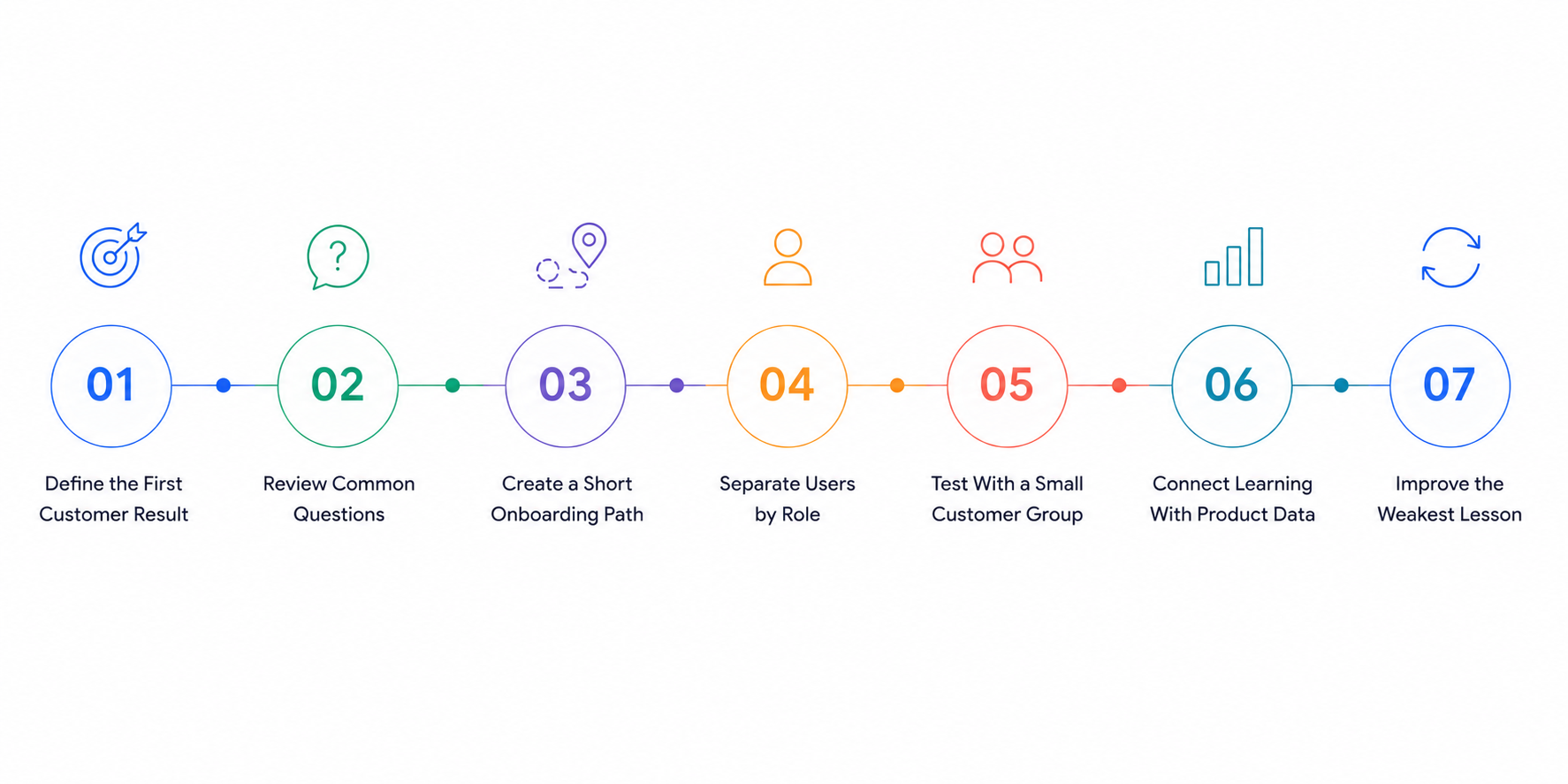
You do not need to build the full academy before inviting learners. Start with a focused version and improve it using customer behaviour.
Step 1: Define the First Customer Result
Choose the action that shows a customer has started receiving value.
Step 2: Review Common Questions
Study support tickets, sales calls, onboarding notes, and customer interviews.
Step 3: Create a Short Onboarding Path
Build lessons around the first result rather than the full product.
Step 4: Separate Users by Role
Give each group the content connected to its responsibilities.
Step 5: Test With a Small Customer Group
Ask a few customers to complete the path without live help. Watch where they pause or ask questions.
Step 6: Connect Learning With Product Data
Compare course progress with setup completion, feature use, and support requests.
Step 7: Improve the Weakest Lesson
Do not rebuild everything at once. Begin with the lesson that has the highest drop-off or creates the most confusion.
A phased launch is easier to manage and gives teams time to improve the learning experience. TeknoFlair builds WordPress LMS and LearnDash portals for customer onboarding, product education, and role-based learning programs. This helps businesses create a clear training system that grows with their customer base.
Help Customers Reach Product Value Faster
Customers do not need to learn every part of your product immediately. They need a clear path to the first result that matters to them.
A customer education LMS can turn scattered product information into structured learning. It helps customers begin in the right place, follow lessons for their role, practise real actions, and return when they need more help.
The most effective programs stay close to the product journey. They teach one useful task at a time and measure what clients do after training.
When learning becomes easier, customers can reach value faster. Support teams spend less time repeating basic steps, while product and customer success teams gain clearer information about where users still struggle.
FAQs
What is a customer education LMS?
It is an online learning platform that helps customers understand and use a company’s product or service. It may include onboarding courses, tutorials, role-based paths, quizzes, certificates, product updates, and progress reports.
How does customer education improve product adoption?
Customer education shows users which features to use, when to use them, and how those features support their goals. Clear lessons reduce confusion and help customers include the product in their regular workflow.
What should a customer onboarding course include?
It should cover account access, basic setup, the first important task, core features, common mistakes, and clear next steps. Keep the path short and focus on helping customers reach their first useful result.
Is a customer learning portal different from a help center?
Yes. A learning portal guides customers through courses and structured paths. A help center usually provides individual articles that users search when they already know what question they need answered.
Can WordPress and LearnDash support customer education?
WordPress and LearnDash can be used to build branded customer learning portals with courses, quizzes, certificates, user groups, progress tracking, and integrations. The setup should match the company’s customer journey and reporting needs.
How long should a product training lesson be?
A lesson should be long enough to explain one clear task without adding unrelated information. Many simple product lessons can be completed in a few minutes, while complex workflows may require several smaller lessons.
How do you measure customer education success?
Track time to first value, onboarding completion, feature adoption, repeated support questions, quiz results, product activity, satisfaction, renewals, and expansion. Compare learning data with customer behaviour rather than measuring course views alone.
When should a SaaS company build a customer education portal?
A SaaS company should consider one when onboarding requires repeated calls, users miss valuable features, support answers the same questions, product updates create confusion, or training becomes difficult to manage as the customer base grows.
