









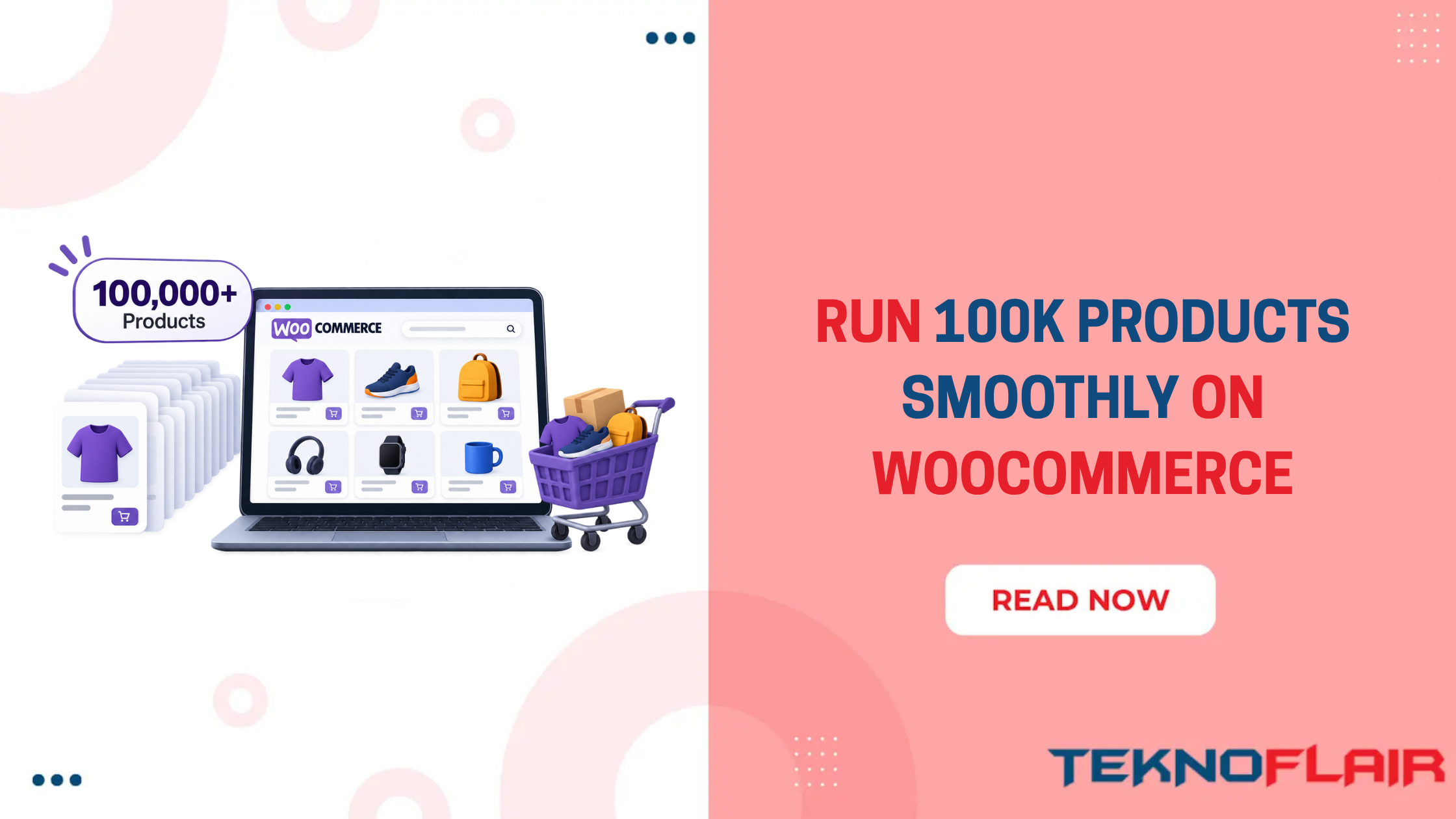
If your WooCommerce store is growing, you have probably already noticed it. More products mean slower searches, heavier updates, and more pressure on the whole setup.
At first, the changes may be small. A product search takes a little longer. A bulk update needs more time. Filters feel less responsive than they used to. But as the catalog keeps growing, those small delays can start affecting both customers and your team.
But here is the interesting part. Two WooCommerce stores can both have 100,000 products and perform completely differently.
Imagine two wholesale suppliers. The first has simple products with a SKU, price, stock level, and a few attributes. The second uses hundreds of variations, detailed technical filters, customer-specific pricing, ERP stock updates, and supplier feeds running throughout the day. Same product count but very different workload.
So if you are wondering, can WooCommerce handle 100,000 products?
Yes. WooCommerce says it has seen stores with 100,000+ listed products handling thousands of transactions per minute. Those stores had strong hosting support and development teams focused on optimization.
The bigger question is how efficiently your store can manage the workload that comes with 100,000 products. To understand that workload better, let’s look at what starts to change as your WooCommerce catalog grows.
What Changes When Your Catalog Reaches 100,000 Products?
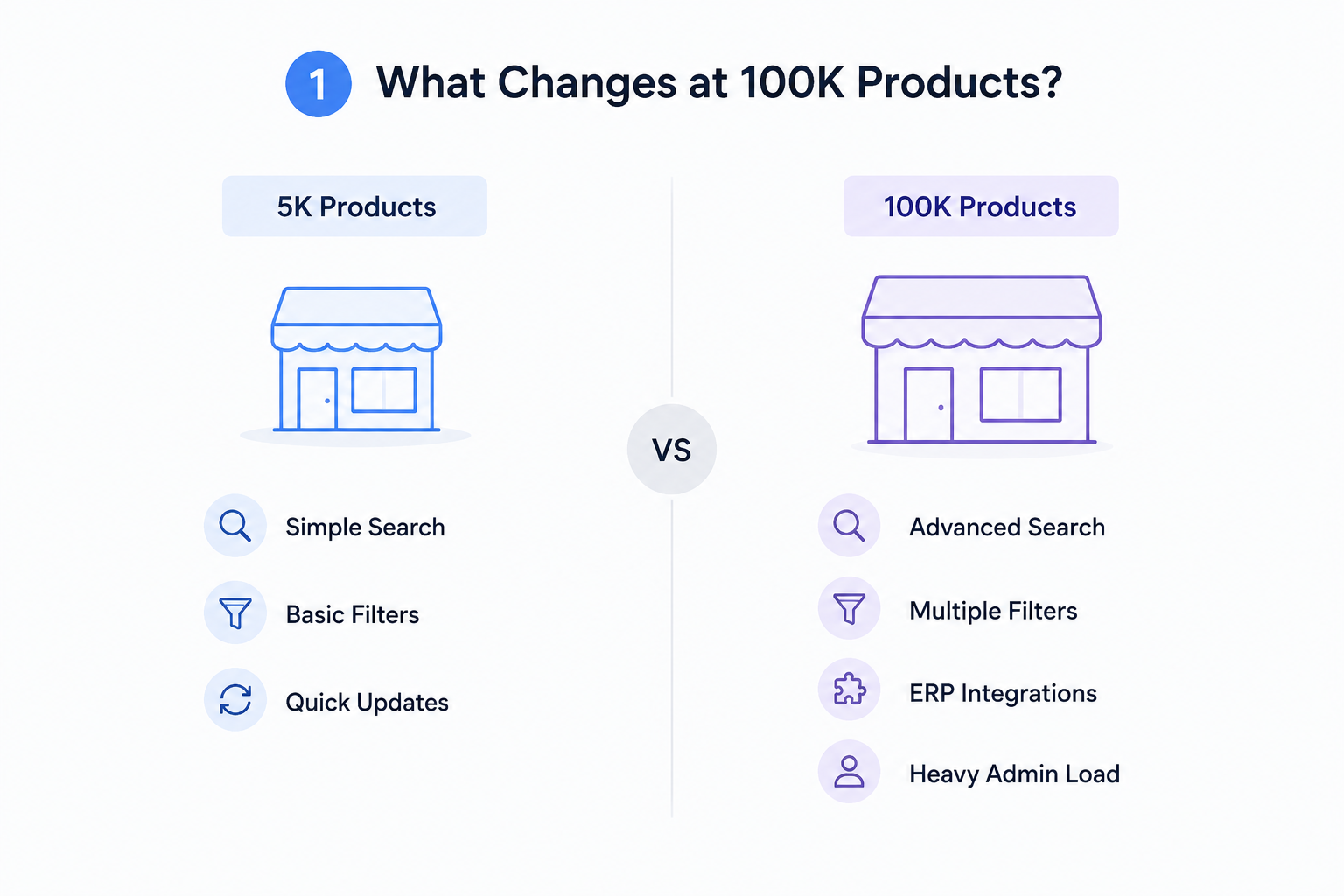
Large catalogs make small inefficiencies easier to notice. At 1,000 products, an inefficient database query might not cause an obvious problem. Run that same type of work across a much larger catalog and the delay can start affecting customers and your team.
Here is where the difference usually appears:
| Smaller WooCommerce Store | Large WooCommerce Catalog |
| Basic product search may be enough | SKU, attribute and technical search become important |
| Simple categories work well | Customers need stronger filtering |
| Product updates finish quickly | Imports and bulk updates need planning |
| Plugin inefficiencies may go unnoticed | Poor queries can become obvious |
| Manual inventory work may be manageable | ERP, PIM or supplier integrations become more useful |
| Admin screens usually feel light | Product and order management needs monitoring |
Variations can increase that workload further. A product available in several sizes, materials or pack quantities gives WooCommerce more information to store and work with.
For example, an industrial product offered in 5 sizes, 4 pressure ratings, and 3 materials can create many possible combinations around one item.
WooCommerce’s developer guidance specifically discusses shops with hundreds of thousands of products with variations and suggests that more advanced search technology may become useful at that scale.
So where should you look when performance starts slipping?
Where Do Large WooCommerce Stores Usually Slow Down?
You do not need to assume the whole website is the problem. Check the tasks that involve the catalog most heavily.
Product Search and Filters
Your customers may search for an exact SKU such as HV-16-250 rather than browsing through categories. They may then filter by manufacturer, size, pressure rating, compatibility, or availability.
Search and filters need to process a lot of product information quickly. If they regularly take several seconds, treat them as a separate performance issue.
Category Pages
A category containing thousands of products can require more work, especially when shoppers sort by price, stock, popularity, or attributes.
WooCommerce Admin
Your storefront may feel fast while your staff wait for product searches, bulk edits, or order screens. That still affects the business.
Imports and Stock Updates
A supplier feed updating 300 products is easy to overlook. An ERP updating tens of thousands of SKUs several times a day is a different job. Once you know where the pressure is coming from, optimization becomes much more targeted.
How to Keep a 100,000-Product WooCommerce Store Fast
If you are wondering if WooCommerce can handle 100,000 products without slowing down, the answer depends heavily on how you manage the following areas.
1. Choose Hosting for the Workload, Not Just the Product Count
There is no useful rule saying: 100,000 products = X amount of RAM.
Traffic changes the calculation. A 100,000-product industrial catalog receiving 1,000 visitors a day has very different requirements from a store receiving tens of thousands of visitors during a promotion.
WooCommerce identifies traffic distribution and server hardware as two major factors in store scalability. So before upgrading, find out what is actually running short.
Is the server struggling with memory? Processing power? Database work? Large traffic spikes? Throwing a bigger server at one inefficient process can become an expensive way to avoid fixing the real issue.
2. Keep the Database Efficient
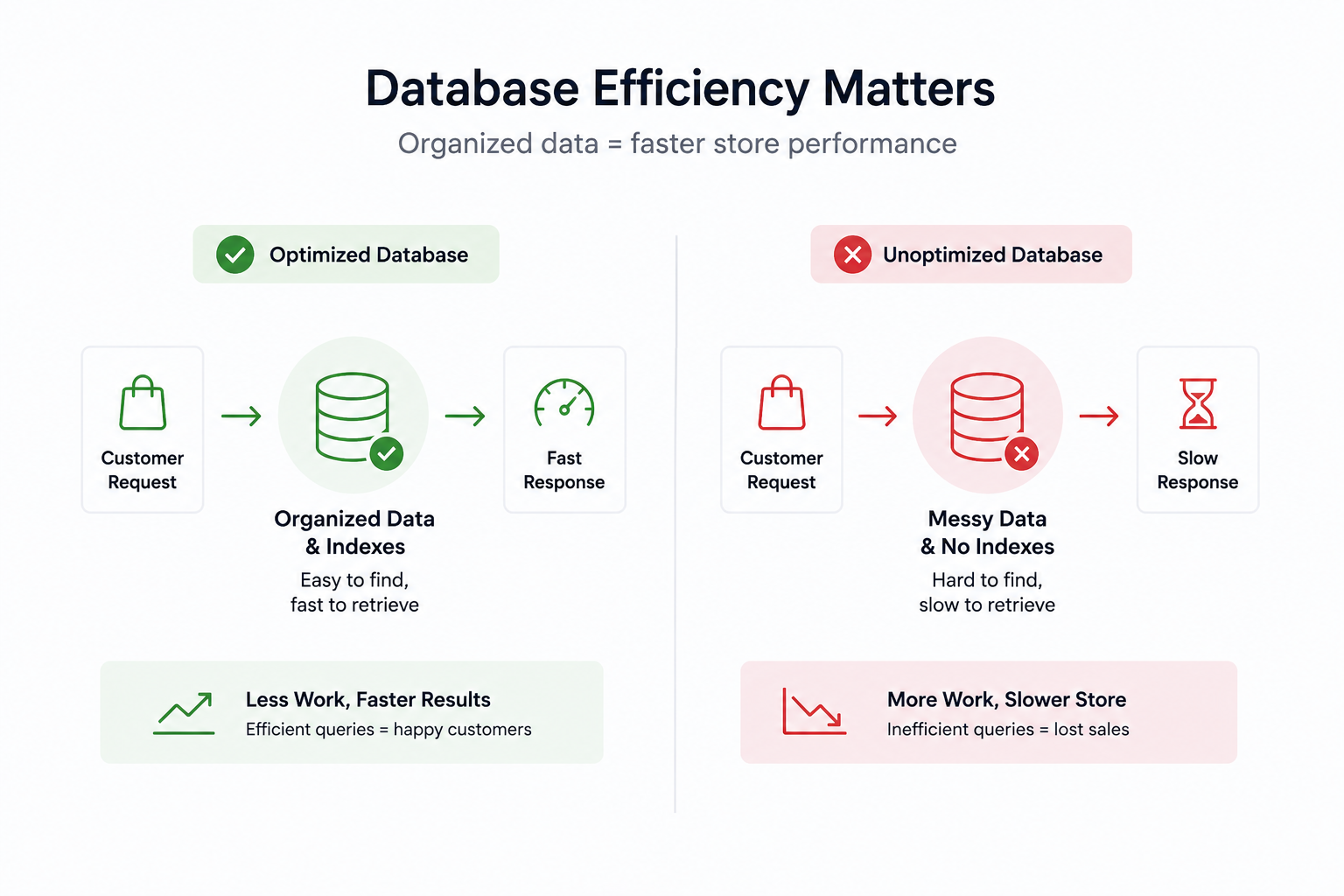
A large WooCommerce store depends heavily on its database. That makes slow queries harder to ignore as the catalog grows.
Areas worth checking include:
- Slow or repeated database queries
- Unnecessary product metadata
- Database indexes
- Product lookup tables
- Old temporary data
- Plugins requesting more data than they need
You do not need to become a database developer to understand the principle. Think of a warehouse with numbered shelves. If everything has a known location, finding one part is quick. If products are stacked randomly, hiring someone faster does not solve the real problem.
Your database works the same way. A powerful server can process bad queries faster. Good database structure reduces the amount of work in the first place.
3. Treat Product Search as a Separate System
A customer shopping from a large B2B or technical catalog often knows what they want. They might search for BMW 3 Series 2022 front brake pads. Your WooCommerce search may therefore need to understand more than product titles.
That can include:
- SKU and part numbers
- Brands
- Product attributes
- Technical specifications
- Variations
- Compatibility information
WooCommerce says stores selling hundreds of thousands of products with variations may consider Elasticsearch for more dynamic search and filtering.
But do not add another search system just because your catalog is large. First test what you have. Can customers find an exact SKU quickly? Do partial product names work?
If the answers are yes, your current setup may already be doing the job. If not, optimize search on its own instead of assuming the entire site needs rebuilding.
4. Cache Repeated Work
Caching stops WooCommerce from rebuilding the same information every time somebody requests it.
A simple version looks like this:
Customer → Cache → WooCommerce → Database
If the required information is already available in cache, the store may avoid another expensive request to the database. This matters on large catalogs because the same products, queries, and data may be requested repeatedly.
WooCommerce 11.0 enabled product object caching by default for new stores. In WooCommerce’s testing, variable-product page loads improved by around 9–12%, although results vary depending on the store and extensions being used.
Caching helps reduce repeated work. It should not be used to cover up a query that is already badly optimized.
5. Watch Plugins That Run Across the Catalog
The number of plugins is not the main issue. What each plugin does matters more. One extension may add very little overhead. Another may run extra queries every time a product loads, create large amounts of metadata, or process the full catalog during an update.
That difference becomes much easier to notice at 100,000 products. Before adding another plugin to a large store, check what it changes and whether it has been tested on large catalogs.
For stores with more complex requirements, Custom WooCommerce development can replace plugin-heavy workarounds with functionality built around the actual catalog and workflow.
6. Optimize ERP, PIM, and Supplier Updates
For many large WooCommerce stores, products do not start inside WordPress.
They may flow through:
ERP → WooCommerce
PIM → WooCommerce
Supplier Feed → WooCommerce
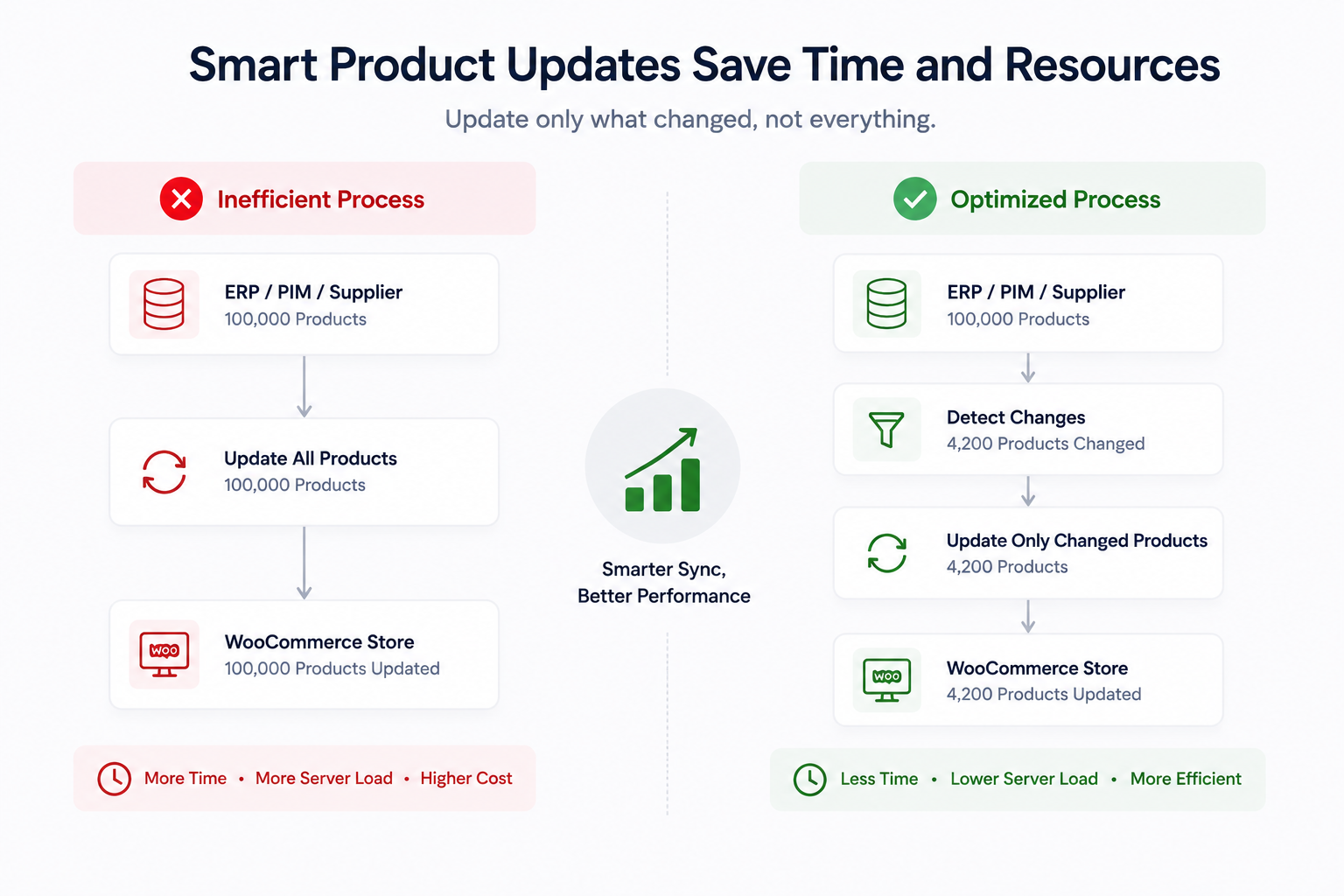
Now imagine your ERP contains 100,000 products but only 4,000 changed today. Rewriting all 100,000 records would create a lot of unnecessary work.
A better integration updates only what changed. The same applies to stock. Changing a quantity from 27 to 24 should not require rebuilding the entire product. Large-catalog integrations usually benefit from batch processing, background jobs, selective updates, and clear error logging.
WooCommerce also notes that growing stores commonly integrate with production, warehouse, analytics, and other business systems. Sometimes the slow part is how product data enters and leaves WooCommerce.
7. Keep the WooCommerce Admin Fast
Your customers are only half the picture. Your staff may search products, update stock, check orders, run reports, and manage customers all day. Those jobs need to stay responsive too.
WooCommerce has been actively improving performance for large datasets. Its WooCommerce 9.9 benchmark used a store with more than 1.2 million orders, 15,000 products, and 60,000 customers. It reported page-load reductions of up to 95% across some critical admin screens compared with WooCommerce 9.7.
That does not guarantee the same improvement for every store. It does show why back-office performance deserves attention. If five employees each lose time waiting for product screens throughout the day, slow admin performance becomes an operating cost.
8. Monitor Performance Before It Becomes a Bigger Problem
You do not need dozens of dashboards.
Watch a few useful signals:
| What to Monitor | What It Shows |
| Search response time | Changes in product search speed |
| Category response time | Performance of catalog queries |
| Slow database queries | Expensive database operations |
| Admin response time | Delays affecting staff workflows |
| Failed background jobs | Problems with imports or syncs |
WooCommerce recommends looking at real store activity when testing scalability rather than relying only on basic page views.
If an ERP sync normally takes 20 minutes and suddenly takes two hours, investigate it before that delay starts affecting stock accuracy.
Do You Need Headless WooCommerce for 100,000 Products?
No. Not simply because the catalog reached six figures. Headless WooCommerce separates the customer-facing storefront from the WooCommerce backend.
That can make sense when your business needs several websites or apps using one catalog, highly custom product experiences, separate frontend scaling, or an API-driven ecommerce setup.
For example, an automotive company might feed the same catalog into its ecommerce site, dealer portal, mobile app, and internal sales system. That is a business reason to consider a different architecture. 100,000 products by itself is not.
An optimized traditional WooCommerce store can still be the simpler option. Find the bottleneck first. Then decide whether changing the architecture actually solves it.
When Standard WooCommerce Optimization Is Not Enough
The setup becomes more complex when WooCommerce is only one part of the sales system. Your ERP may control stock. A PIM may hold technical specifications. Wholesale customers may receive different prices.
Automotive products may rely on make, model, year, or compatibility data. At that point, adding another general-purpose plugin may not solve the underlying problem.
You might need:
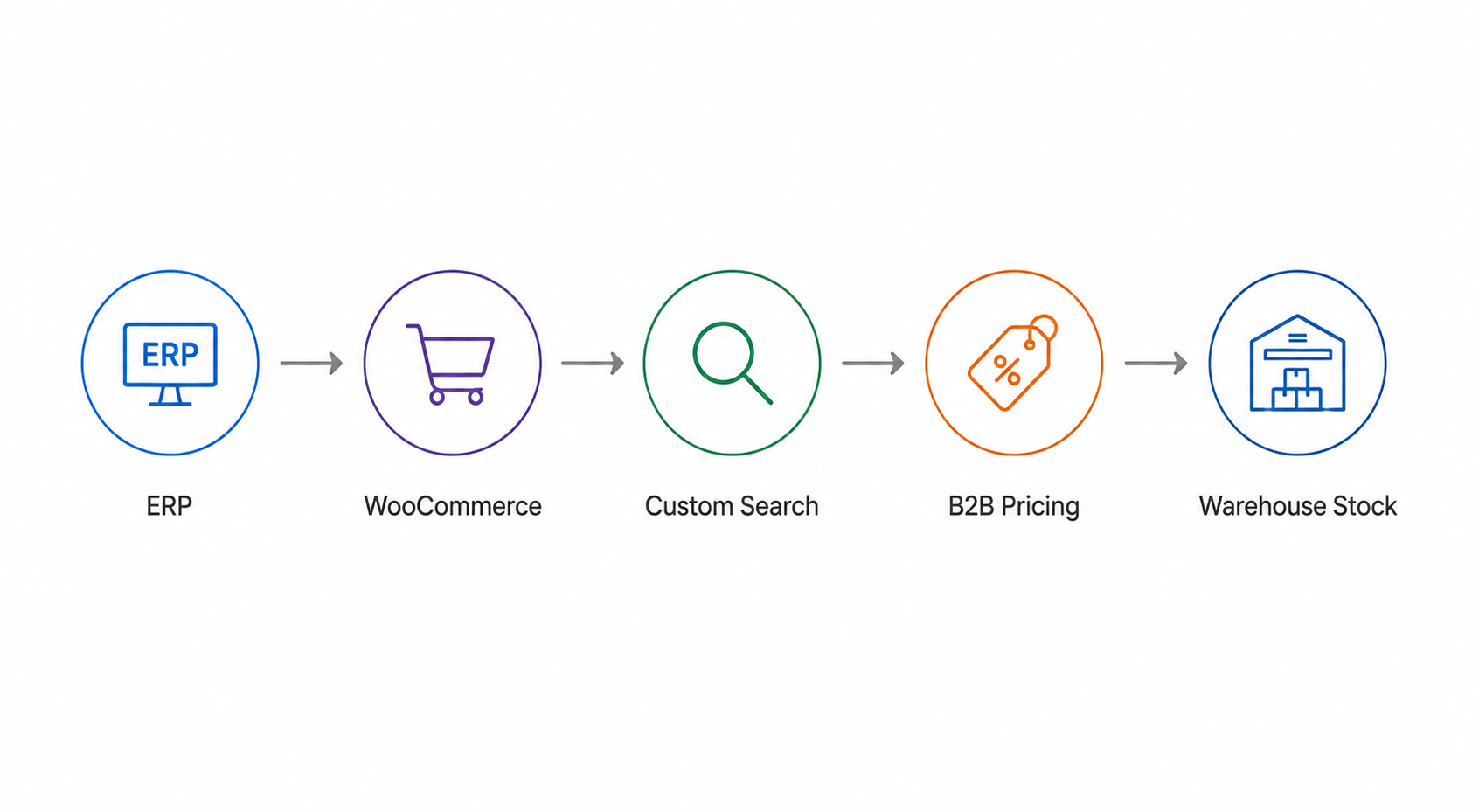
If your catalog works this way, TeknoFlair can customise WooCommerce around the actual business process, including ERP/PIM integrations, large-catalog performance, custom product search, filters, and B2B workflows.
It makes WooCommerce process the data your business needs without adding unnecessary work around it.
Final Thoughts
A large WooCommerce catalog does not need to become a performance problem. The key is to catch weak points early and fix them before they start affecting search, updates, admin tasks, or customer experience.
As your store grows, keep testing the parts that handle the most work. That gives you a much better chance of scaling smoothly instead of reacting after performance drops.
For a 100,000-product store, good planning matters just as much as good technology.
FAQs
How Many Products Can WooCommerce Handle?
WooCommerce does not publish a fixed maximum product limit. It confirms that stores with more than 100,000 products are already running on the platform.
Does WooCommerce Slow Down With More Products?
It can, but more products are only one factor. Search complexity, variations, traffic, plugins, filters, database queries, and integrations can all affect WooCommerce performance.
Can WooCommerce Handle 100,000 SKUs?
Yes. A properly optimized store can manage 100,000 SKUs. Pay particular attention to SKU search, database efficiency, imports, and inventory synchronization.
Do WooCommerce Variations Affect Performance?
Yes. Variations create additional data and can increase the work involved in searching, filtering, and updating products. This becomes more important in complex wholesale and technical catalogs.
Is there a product limit in WooCommerce?
This is a useful variation of the first question because users searching for a hard WooCommerce limit have slightly different intent. Current ranking pages repeatedly address the lack of a hard-coded limit.
