














Selling event tickets online sounds simple until you start dealing with registrations, attendee management and ticket delivery. WooCommerce provides you with a great start, but you will need the right plugin to make your store a full-fledged ticketing system.
Fortunately, you don’t have to use an external ticketing service that will charge you fees or restrict your ability to handle the customer information. You can sell event tickets on your site and manage event attendees. It can simplify event operations with the appropriate WooCommerce event ticket plugin.
We’re going to be exploring 5 of the top WooCommerce event ticket plugins for 2026 and finding out where they excel.
WooCommerce Event Ticket Plugins Compared
Before we dive into each plugin, let’s compare the key differences at a glance. While all of these options support event ticket sales with WooCommerce, each one is designed for a slightly different type of event.
| Plugin | Best For | QR Tickets | Recurring Events | Virtual Events | Standout Feature |
| Eventin | Conferences & Multi-Day Events | ✅ | ✅ | ✅ | Speaker and schedule management |
| YITH WooCommerce Event Tickets | Multiple Ticket Types | ✅ | ❌ | ❌ | Flexible ticket pricing and branding |
| FooEvents | Concerts & Large Events | ✅ | ✅ | ✅ | Mobile attendee check-ins |
| The Events Calendar + Event Tickets | Event Management & Recurring Events | Limited | ✅ | ✅ | Event calendar and ticketing ecosystem |
| WP Event Manager | Workshops & Community Events | ❌ | ✅ | ✅ | Organizer and venue management |
While all of these plugins help sell event tickets through WooCommerce, they approach ticketing and event management differently. Let’s take a closer look at each option and see which one is the best fit for your event requirements.
1. Eventin
⭐⭐⭐⭐⭐ 4.6/5
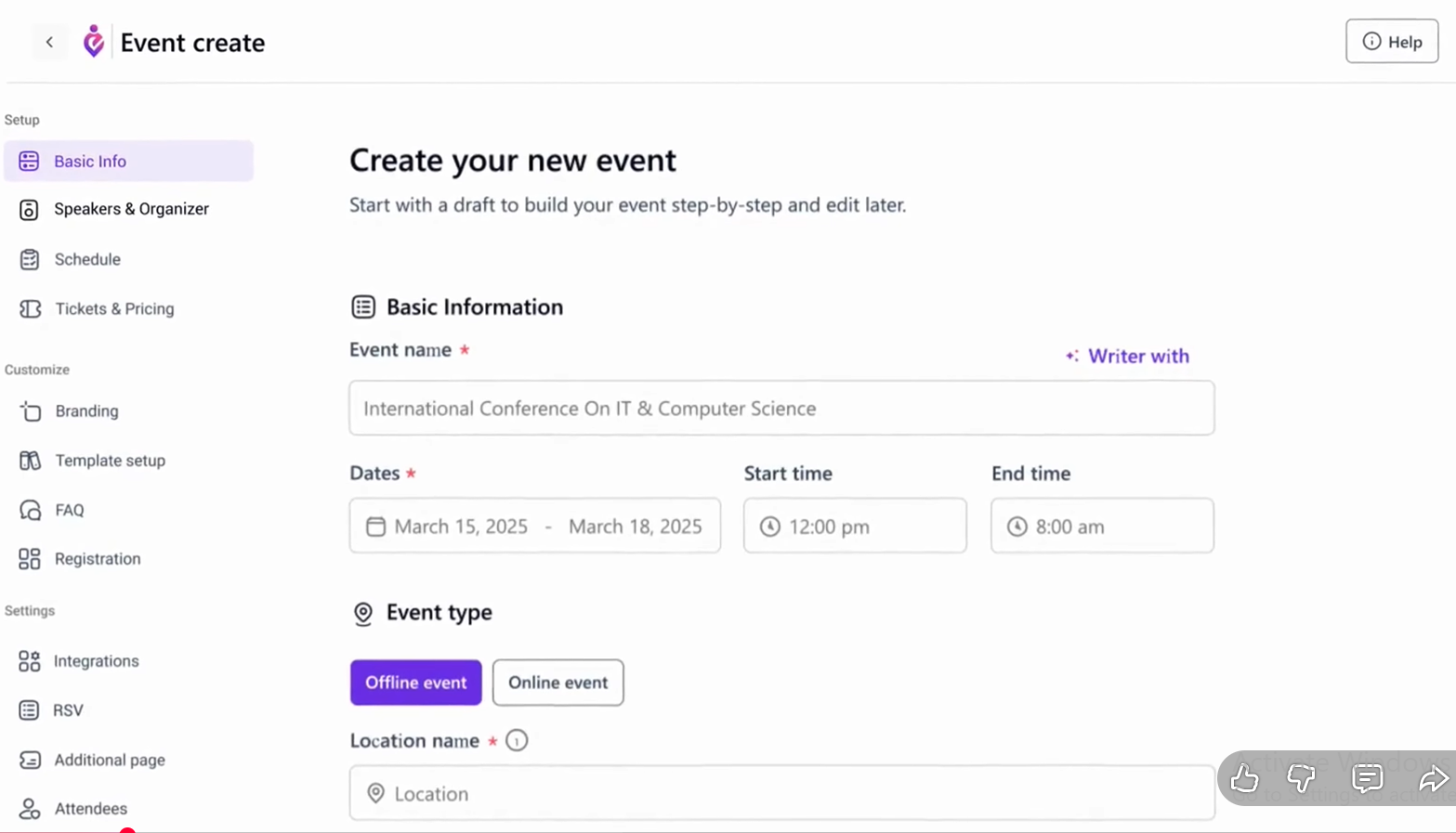
If you’re organizing conferences, webinars, summits, or multi-speaker events, Eventin offers much more than basic ticket sales. It offers a single platform for event management, registration, ticketing, and tracking of attendees, rather than having to install multiple plugins.
Eventin’s main strength is its conference-centric features. Speaker profiles, event schedules, and ticket sales are all possible without leaving the dashboard and all handled by WooCommerce.
Additional features of the plugin include virtual event integrations and recurring events. That’s why it is a convenient option for companies that conduct both in-person and virtual events during the year
Key Features
Speaker and Schedule Management
Create dedicated speaker profiles and event agendas. Attendees can easily view who is speaking and when sessions take place.
QR Code Tickets
Generate QR-code tickets automatically. Event staff can scan attendees quickly and reduce check-in delays.
Recurring Events
Create weekly, monthly, or recurring events without rebuilding everything from scratch.
Zoom and Google Meet Integration
Allow attendees to register and join virtual events through a streamlined process.
Attendee Management Dashboard
Track registrations, ticket sales, and attendee information from one location.
Pricing
Starts at approximately $89/year.
Pros
- Strong conference management tools
- Supports virtual and in-person events
- Built-in speaker profiles and schedules
- User-friendly dashboard
Cons
- More features than small events may need
- Advanced functionality may take time to learn
Best For
Conferences, summits, webinars, and multi-day events.
Verdict
Eventin is one of the most complete WooCommerce event ticket plugins available today. If you need both event management and ticketing, it’s difficult to beat.
2. YITH WooCommerce Event Tickets
⭐⭐⭐⭐⭐ 4.46/5
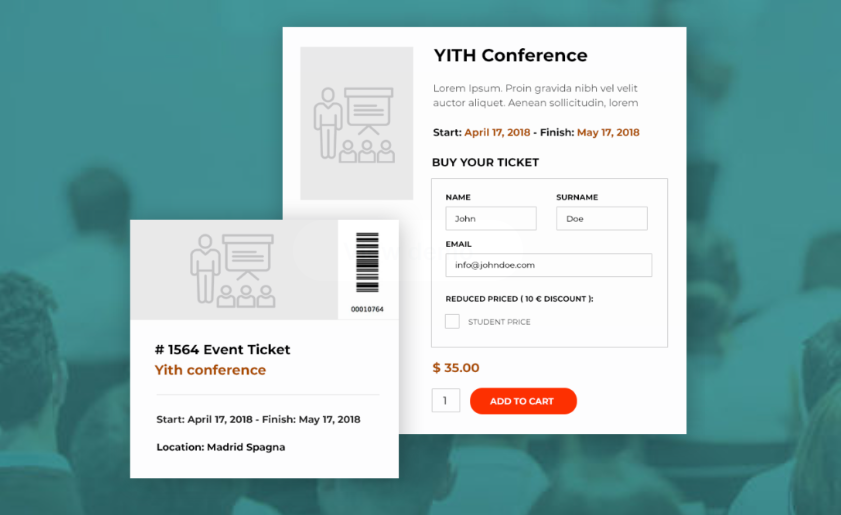
If you’re running events with various ticket types, then you should consider YITH WooCommerce Event Tickets. It is far more flexible than other ticketing plugins. It allows you more control over pricing, ticket availability, branding and attendee management.
You can have General Admission, VIP and Early Bird tickets for the same event. Tickets may have different prices, sales periods and quantities per ticket type. The plugin can be useful in concerts, conferences, workshops and fundraising events.
The plugin also creates unique QR Codes and bar codes for each of the tickets sold. This means that event workers are able to check in attendees more quickly. Plus, it reduces entry bottlenecks.
Key Features
Multiple Ticket Types
Create VIP, General Admission, Early Bird, or custom ticket categories with separate pricing and inventory limits.
QR Codes and Barcodes
Generate unique codes for every attendee to streamline event check-ins and improve security.
Custom Ticket Branding
Add your logo, colors, and event details to create a more professional attendee experience.
Capacity Management
Automatically stop ticket sales when the event reaches its attendance limit.
Attendee Export
Download attendee lists in CSV format for venue planning, marketing, or on-site registration.
Pricing
$99/year for a single-site license.
Pros
- Flexible ticket pricing options
- Professional ticket branding
- Easy attendee management
- Strong integration with the YITH ecosystem
Cons
- Higher starting price than some alternatives
- Best value comes when using other YITH plugins
Best For
Event organizers who need multiple ticket tiers, advanced branding, and detailed attendee management.
Verdict
YITH WooCommerce Event Tickets is a strong choice for businesses that need more control over ticket sales than basic event plugins typically provide.
3. FooEvents
⭐⭐⭐⭐⭐ 4.8/5, Editor’s Rating
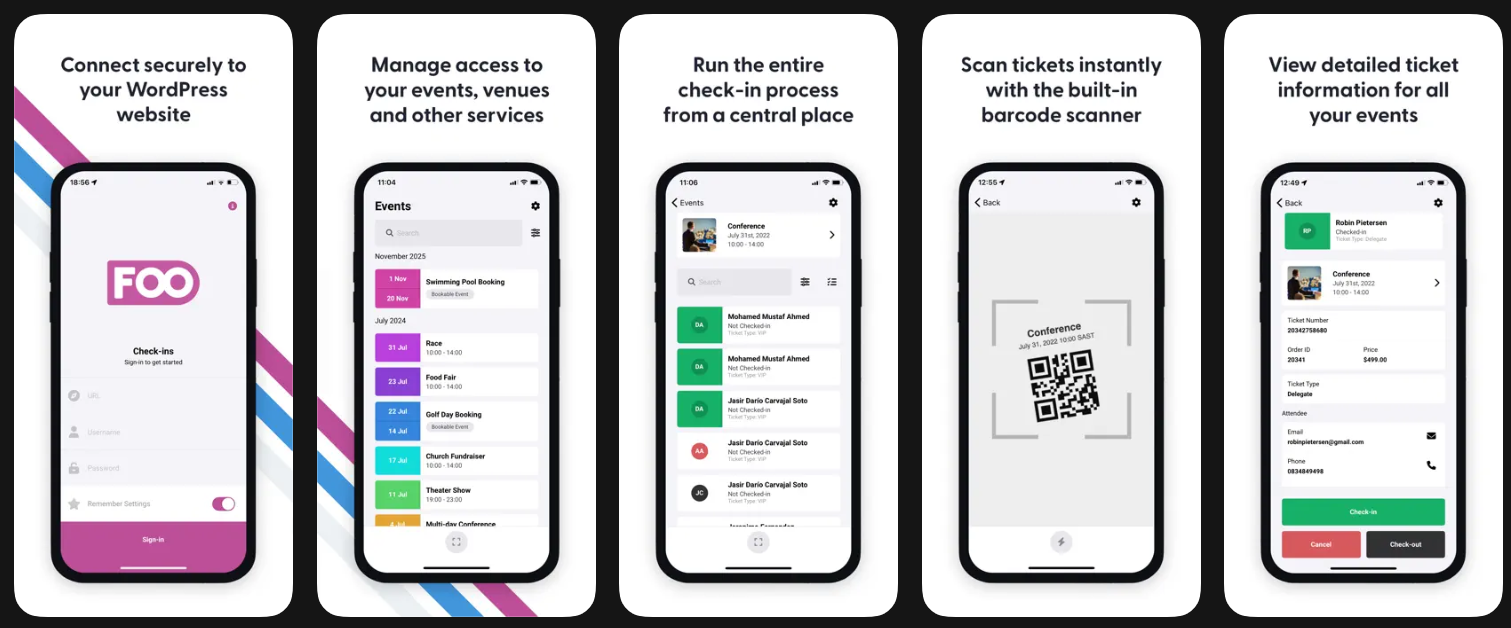
Some event organizers don’t need speaker management or complex schedules. They simply need a reliable way to sell tickets and check attendees in quickly. That’s where FooEvents shines.
Built specifically for WooCommerce, FooEvents transforms products into event tickets and provides a smooth ticketing experience from purchase to event entry.
Its biggest advantage is the mobile check-in system. Staff can scan tickets directly from their phones, helping reduce queues and improve the attendee experience.
Key Features
Mobile Check-In Apps
Scan tickets and manage attendees using dedicated mobile applications.
QR Code Ticketing
Every ticket includes a unique QR code for faster verification and improved security.
Virtual and Hybrid Event Support
Sell tickets for virtual and hybrid events while delivering event access details and attendee information through WooCommerce.
Custom Attendee Fields
Collect information such as company name, dietary requirements, or registration preferences during checkout.
Seating and Event Management
Support assigned seating and event-specific ticket configurations.
Ticket Branding
Customize tickets with your logo and event details for a more professional appearance.
Pricing
Starts at approximately $199/year.
Pros
- Excellent WooCommerce integration
- Reliable mobile check-in tools
- Easy to set up and manage
- Suitable for high-volume events
Cons
- Limited conference management features
- Focuses more on ticketing than event planning
Best For
Concerts, festivals, exhibitions, and large-ticket events.
Verdict
If your priority is selling tickets and processing attendees efficiently, FooEvents is one of the strongest WooCommerce ticketing solutions available.
4. The Events Calendar + Event Tickets
⭐⭐⭐⭐⭐ 4.8/5
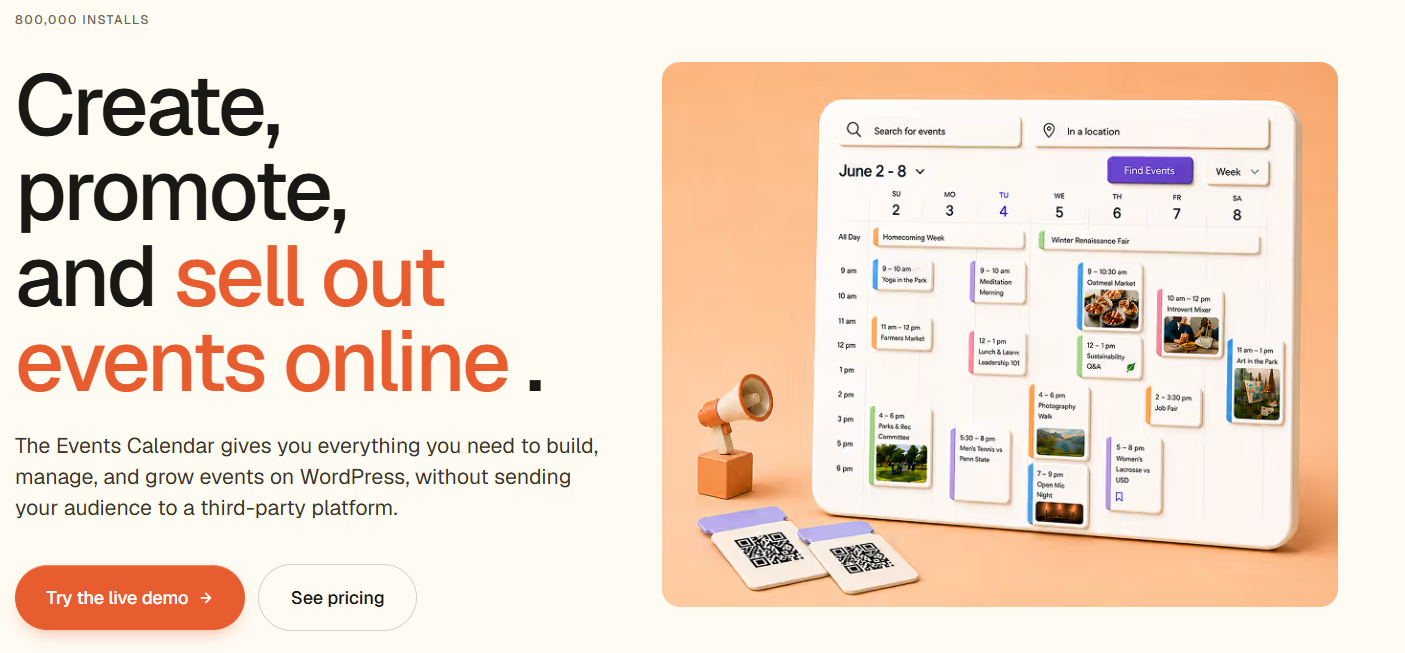
Event Tickets Plus is aimed at a Business already using The Events Calendar. It doesn’t introduce another event management platform, but extends the tools you already use and includes ticket selling.
The plugin lets you create tickets for your event listings. You can sign up, buy tickets and get confirmations from the event page.
This integration makes it very appealing for companies that hold events often and find it very convenient to have everything integrated into one ecosystem.
Key Features
WooCommerce Ticket Sales
Sell event tickets directly through WooCommerce while using your preferred payment gateways.
Attendee Registration Management
Collect attendee information and manage registrations from a centralized dashboard.
Custom Registration Fields
Gather additional attendee details that are important for your event planning.
Recurring Event Support
Manage recurring workshops, classes, and community events more efficiently.
Events Calendar Integration
Works seamlessly with The Events Calendar, reducing setup complexity.
Virtual and Hybrid Event Integrations
Expand event capabilities with integrations and add-ons that support virtual and hybrid event experiences
Pricing
Starts at approximately $259/year.
Pros
- Excellent integration with The Events Calendar
- Easy attendee management
- Supports recurring events
- Familiar interface for existing users
Cons
- Less appealing if you don’t use The Events Calendar
- Some advanced functionality may require additional tools
Best For
Organizations that need event management and ticket sales in one platform. It can include Workshops, conferences, community events, and recurring event programs.
Verdict
For existing Events Calendar users, Event Tickets Plus offers one of the smoothest ways to add ticket sales without changing your workflow.
5. WP Event Manager
⭐⭐⭐⭐⭐ 4.8/5 Editor’s Rating
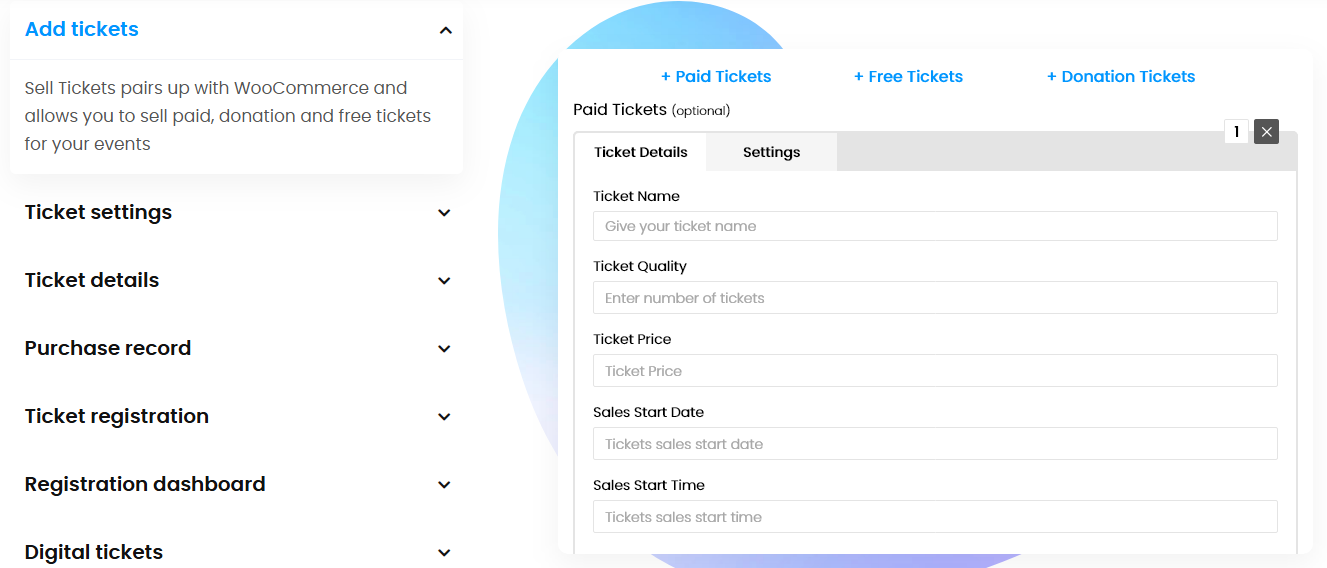
If you want a flexible event management solution that can also handle ticket sales through WooCommerce, WP Event Manager Plugin is worth considering. The plugin is designed to help businesses create, manage, and promote events while giving attendees a simple registration and ticket-purchasing experience.
Unlike ticket-only plugins, WP Event Manager combines event listings, registrations, organizer management, and ticket sales into a single platform. This makes it a practical option for businesses that regularly host workshops, conferences, networking events, community gatherings, or corporate events.
The plugin integrates with WooCommerce, allowing organizers to sell tickets using familiar payment gateways while managing event information from one dashboard.
Key Features
WooCommerce Ticket Sales
Sell event tickets through WooCommerce while using your preferred payment gateways and checkout process.
Event Registration Management
Allow attendees to register for events and manage registrations from a centralized dashboard.
Recurring Events
Create recurring workshops, training sessions, and community events without manually rebuilding event listings.
Organizer and Venue Management
Manage event organizers, venues, and event details from a single location.
Google Maps Integration
Display event locations and help attendees find venues more easily.
Virtual and Hybrid Event Support
With the Virtual Events add-on, organizers can host virtual and hybrid events
Pricing
Free core plugin available. Premium event ticketing and WooCommerce-related add-ons are available through paid plans. Starting from $49/year.
Pros
- Strong event management functionality
- WooCommerce integration available
- Supports recurring events
- Easy organizer and venue management
- Flexible add-on ecosystem
Cons
- Some ticketing features require premium add-ons
- Advanced functionality may require multiple extensions
Best For
Workshops, conferences, networking events, corporate events, community events, and businesses that need both event management and ticket sales.
Verdict
WP Event Manager is a solid choice for businesses that need more than just ticket sales. If you want event management, registrations, organizer tools, and WooCommerce ticketing in one ecosystem, it offers a flexible solution that can scale as your events grow.
How to Choose the Right WooCommerce Event Ticket Plugin
The top WooCommerce event ticket plugin will be based on the kind of events you conduct. Conference and concert plugins might not be the perfect fit for workshops and community events.
Don’t pick a plugin without considering what you need.
- Event Type: Some plugins are better suited for conferences and webinars. And others for festivals, workshops, or regular events.
- Attendee Volume: Larger events may require QR code tickets, attendee tracking, and quicker checkin options.
- Virtual Events: In case you are hosting any virtual events, search for the plugins that support Zoom or Google Meet.
- Recurring Events: Is there a class, workshop or community program that happens over and over again? If the event is recurring, it can save a lot of setup time to have recurring event support.
- Ticket Options: Some plugins offer VIP ticket options, early bird pricing, multiple ticket tiers and even limits on tickets.
- Check-In Process: QR code scanning and mobile checkin tools can simplify the process for busy events.
First, list the elements you feel are most important to your events. This makes it simpler to pick a plugin that fits your use and provides a better sign up experience for your attendees.
Ready to Start Selling Event Tickets?
There’s a lot WooCommerce event ticket plugin can do more than process ticket sales. It can make handling registrations easier and create better attendee experiences. It also handles event operations and assists with your business as events expand.This will depend on the kind of events you are holding.
If you’re looking for the right event ticket solution or some customization assistance, TeknoFlair can help. We help businesses develop WooCommerce event platforms and design a ticketing system that is more manageable and scalable.
With the correct plugin and configuration, you can save time in registration and more time in delivering successful events.
