






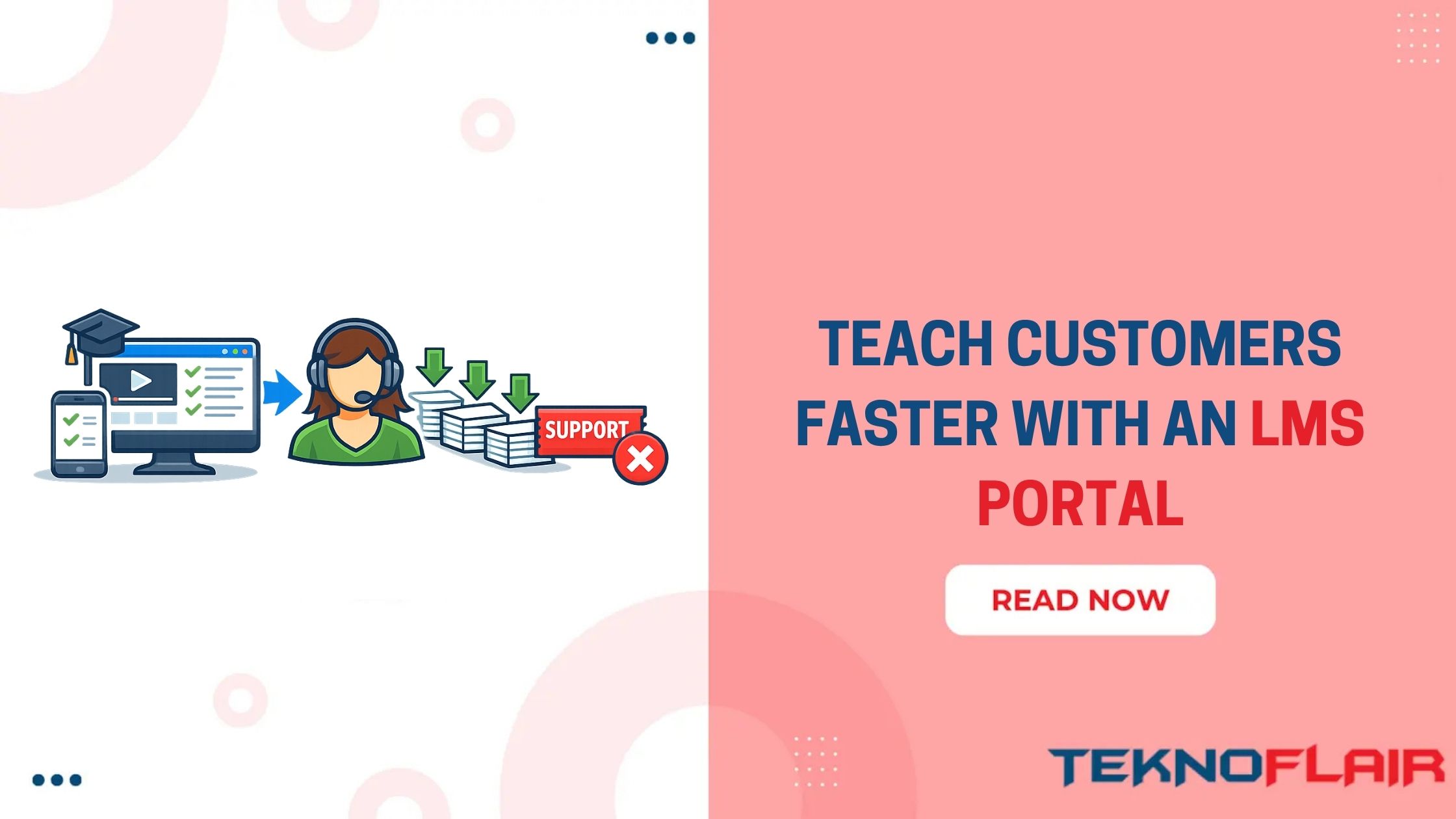
Support teams should not answer the same question hundreds of times. Yet many still do. A customer needs help setting up an account. Another cannot find a feature. Someone else wants to know the next step.
The questions change a little, but the answer is often the same. Over time, these repeated requests fill the support queue. Your team spends more time answering basic questions and less time fixing bigger issues.
That is why more businesses are building a customer training portal. Customers can learn before they ask for help. They can complete onboarding, watch short videos, read product guides, and find answers on their own. They feel more confident. Your support team gets fewer repeated tickets.
At TeknoFlair, we’ve seen more businesses invest in customer training because it helps both their customers and their support teams. A well-planned LMS gives users the right information at the right time, making learning easier from the very first day.
What Is a Customer Training Portal?
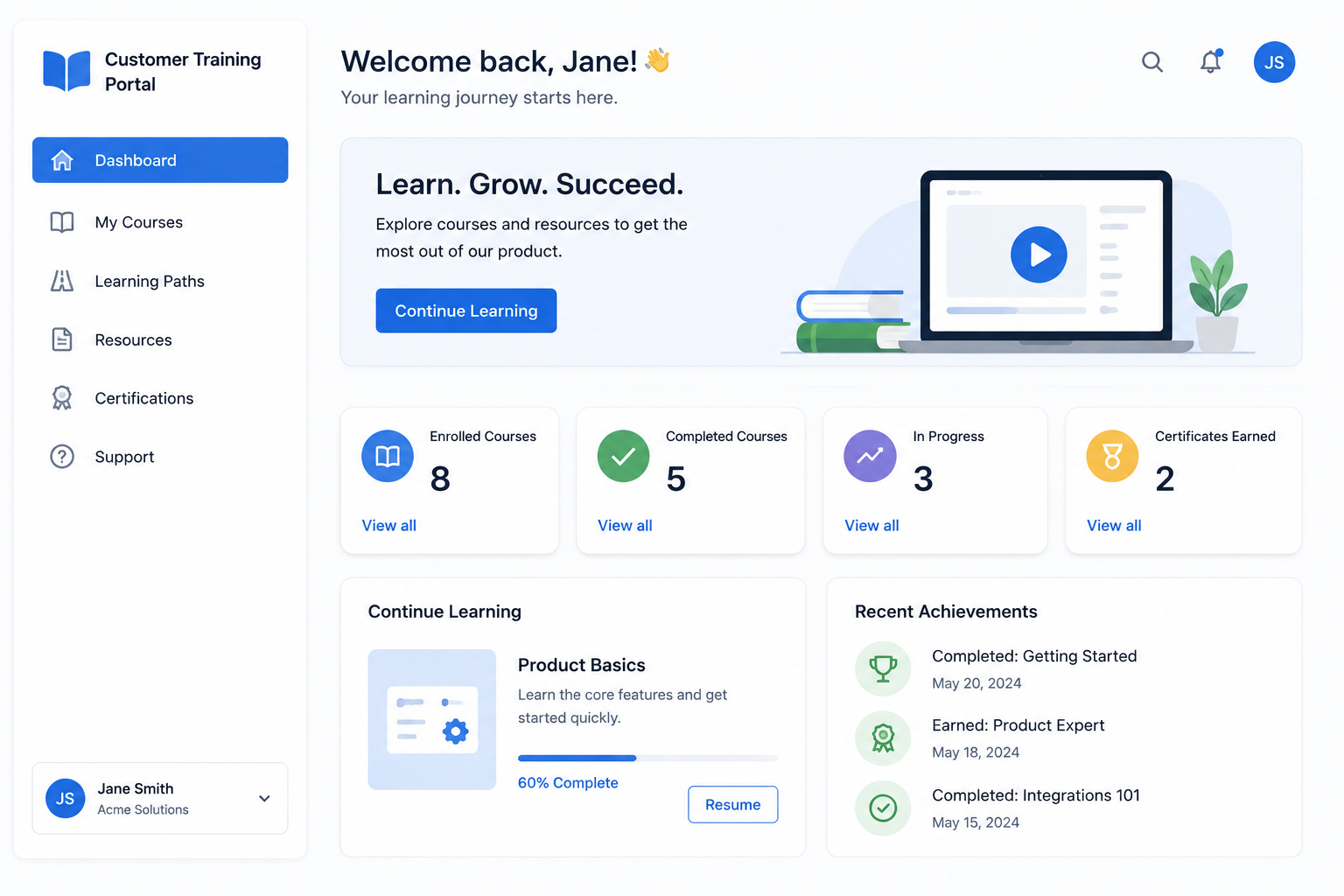
A customer training portal is an online learning environment where businesses provide training to their customers about their products or services.The training portal is not just a help center or knowledge base, but it is structured in a way. Users navigate through lessons rather than looking for answers through pages.
A customer training LMS may include:
- Product onboarding courses
- Video tutorials
- Setup guides
- Feature walkthroughs
- FAQs
- Troubleshooting lessons
- Knowledge checks
- Certificates
- Progress tracking
Imagine a customer who recently registered for a project management tool. Rather than making a support call, they log into the portal. They go through a brief on-boarding program, learn to build their first project, add team members and learn about the dashboard before they begin building.
They already know the basics when they start using the product. That’s a great benefit to the customer and the support team.
Why Support Tickets Keep Increasing
Many businesses assume they need a larger support team when ticket numbers start growing. Sometimes that is true. Often, customers are asking questions that could have been answered during onboarding. A missing setup guide, an outdated tutorial, or a confusing workflow can lead to hundreds of repeated requests every month.
Support teams then spend their time answering the same questions instead of solving more important issues.
You may notice questions like:
- How do I set up my account?
- Where can I find this feature?
- Why can’t I access this page?
- How do I invite my team?
- What should I do next?
These questions usually point to a training gap. A customer education LMS helps close that gap by teaching customers before they need to ask for help.
Research also supports this approach. Businesses that invest in customer education often see fewer support requests while improving customer satisfaction and retention. That is one reason customer education has become a priority for many SaaS companies.
How a Customer Training Portal Helps Reduce Support
A customer training portal does more than store learning materials. It gives customers the confidence to solve many problems on their own.
Here are three ways it helps.
It Creates One Place for Self-Service Learning
Customers should not have to search through emails, blog posts, and support articles to find one answer. A customer self-service portal keeps everything together.
Courses, video tutorials, product updates, and troubleshooting guides are available in one place. If a customer wants to learn how to create a report, connect an integration, or manage user settings, they know exactly where to look. That also means fewer basic questions reach the support team.
It Improves Customer Onboarding
The first few days after signup often decide how customers feel about a product. If onboarding feels confusing, many users stop exploring important features. A customer onboarding portal guides new users step by step.
A simple onboarding path may include:
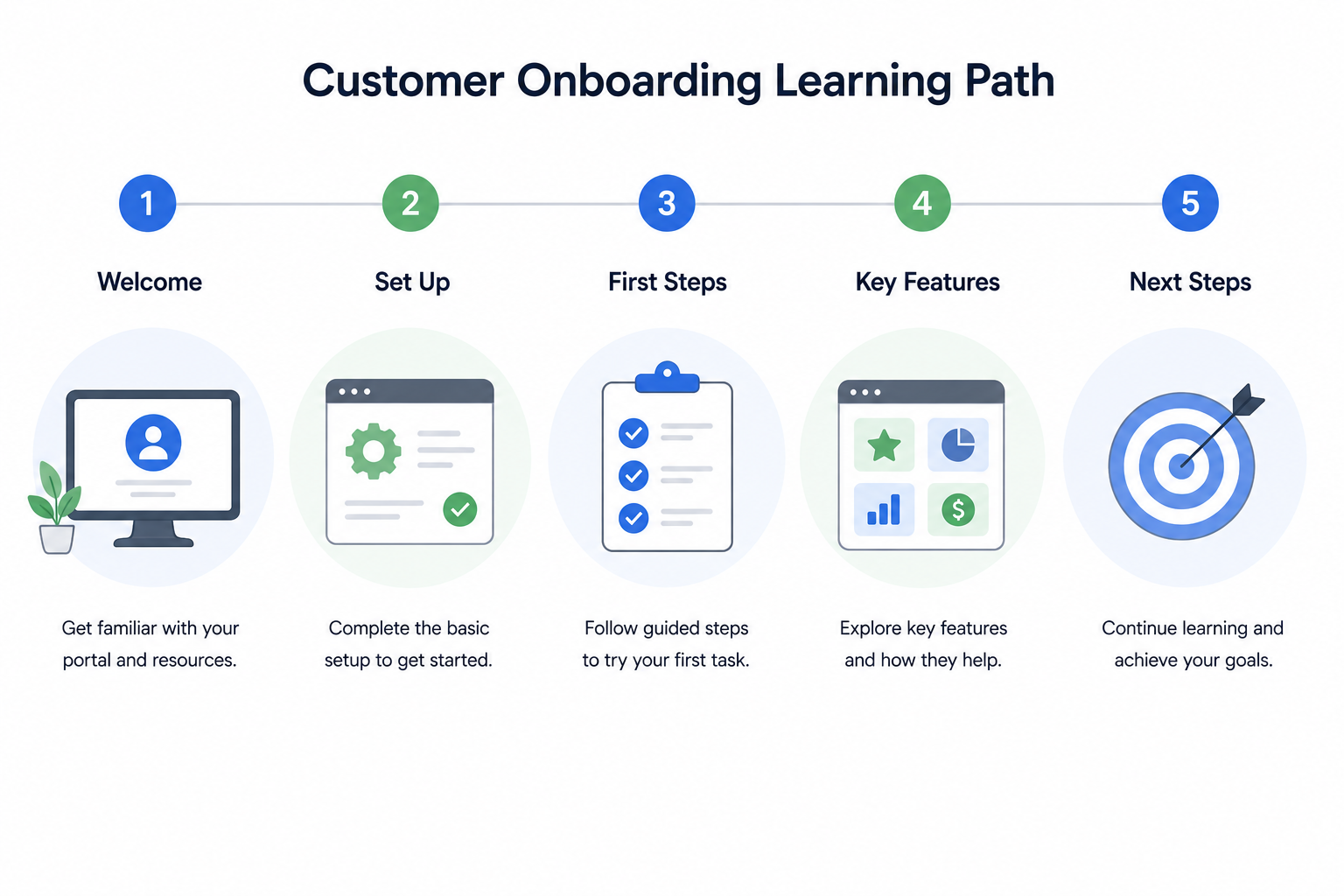
Instead of learning through trial and error, customers build confidence one step at a time. This also helps businesses improve product adoption because customers discover useful features much earlier.
It Reduces Repeated Questions
Each support team has questions that they need to answer almost daily. Instead of answering each ticket one by one, companies can use those responses to create training material. A one minute lesson or a two minute video can also resolve the same issues for hundreds of customers.
This approach gradually lowers the number of support tickets and frees up time for the support team to manage technical issues, specific customer requests and complex customer problems. That’s another reason why businesses are investing in an LMS for training their customers rather than documents alone.
Customers receive answers quickly and support staff does not have to repeat information.
How a Customer Training Portal Improves Product Adoption
Support reduction is only one part of the value. A customer training portal also helps customers use the product better.
Many users sign up for a tool but only use a small part of it. They may know the main feature, but they miss advanced options that could help them get better results. This creates a problem for SaaS companies.
If customers do not understand the product, they may stop using it before they see value. A product training portal can help by showing users what to do after the first setup.
It can guide them through:
- Core features
- Advanced features
- Use cases
- Best practices
- Product updates
- New feature releases
A customer who understands more features is more likely to stay active.This can support feature adoption, customer retention, and customer satisfaction.
How Training Helps Support Teams Work Better
Support teams should not spend most of their day answering basic setup questions. They should help customers with issues that need real attention. A customer education platform gives support teams a better way to handle repeated questions. Instead of writing the same answer again, they can send customers to a short lesson, guide, or video inside the portal.
This creates a better support flow. The customer gets a full walkthrough. The support agent saves time. The business builds a stronger library of user training content over time.
For larger SaaS teams, this also helps customer success teams. They can use training data to see which customers completed onboarding, which features they explored, and where they may need help.
Customer Training Portal vs Knowledge Base
A knowledge base is useful. It helps customers find quick answers. But it usually depends on search. A customer training portal gives customers a guided learning experience.
Both can work together, but they do different jobs.
| Area | Knowledge Base | Customer Training Portal |
| Main Use | Quick answers | Step by step product learning |
| Format | Articles and FAQs | Courses, videos, lessons, quizzes |
| Tracking | Limited | Progress, completion, and activity tracking |
| Best For | Simple questions | Onboarding and product training |
| Support Impact | Helps answer questions | Helps prevent repeated questions |
A help center answers what customers ask. A training portal helps them learn what they need before they ask.
What Should a Customer Training Portal Include?
A strong portal should be easy to use for customers, and useful to your team. Do not add all the items on the first day. Start with the content that solves the most repeated problems.
Product Onboarding Courses
New customer onboarding courses guide customers through the product at the right time. Start with the basics. Show them how to set up their account, complete their first task, and understand the main dashboard. The ideal onboarding course should be short, clear and easy to complete.
Short Video Tutorials
Not all customers are interested in reading long guides. Short video Tutorials can be useful for product training as users can see the steps. A video can show how to create a report, add a team member, update settings, or use a new feature. Maintain video content to a single task.
Troubleshooting Lessons
There are common errors that cause some support tickets. Add troubleshooting lessons within the portal instead of customers reaching out to support. These lessons can cover any problem with account access, billing enquiries, set-up errors, feature restrictions or more.
FAQs and Knowledge Base Links
Your portal should not replace your knowledge base completely. It should connect with it. Add FAQ sections inside courses. Link to deeper help center articles when needed. This gives customers both structured training and quick answers.
Progress Tracking
Progress tracking helps customers know what they completed and what comes next. It also helps your team understand customer behavior. If many users stop at the same lesson, that section may be confusing. If a course has a low completion rate, it may be too long or poorly organized.
Certificates or Badges
Certificates are useful for complex products, partner training, and professional users. They give customers a clear reason to complete training. They also help businesses confirm that users understand important product steps, safety rules, or process requirements.
LMS Analytics
LMS analytics show what is working and what needs improvement. You can track course completion, lesson views, quiz scores, and drop-off points. You can also compare training activity with support tickets. If ticket volume drops after users complete a course, that training content is doing its job.
What Metrics Should Businesses Track?
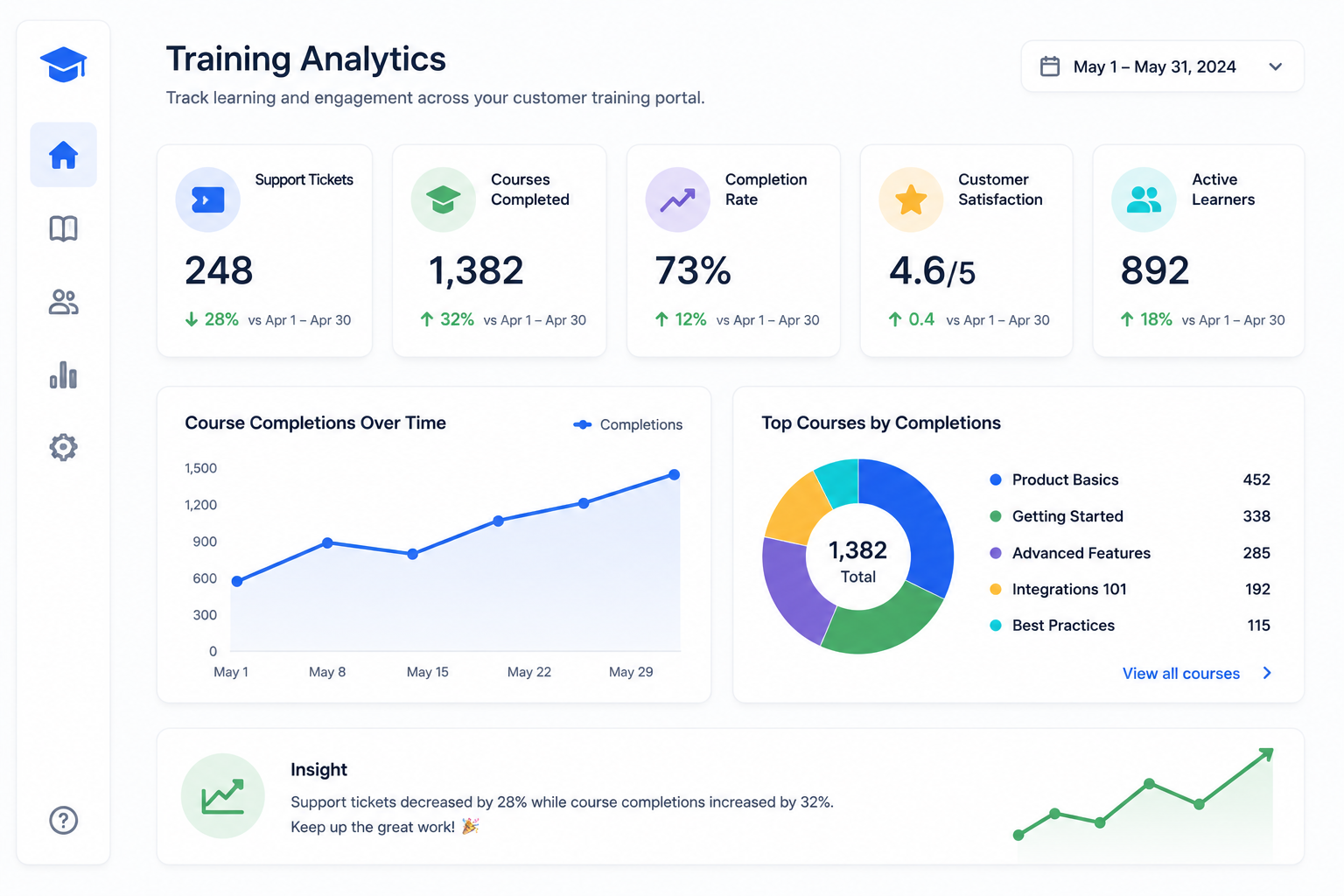
A customer training portal should show more than course views. It should help your team understand whether training is reducing support and improving the customer experience. Start with the numbers that connect to real business goals.
Track:
- Support ticket volume
- Repeated ticket topics
- Course completion rate
- Time to first value
- Product adoption
- Feature usage
- Customer satisfaction
- Renewal rate
- Churn rate
- Training drop-off points
Say your support team gets 500 tickets a month. If 120 tickets are about setup and 80 are about dashboard settings, those topics should become training content first. After publishing those lessons, compare ticket volume again after 30 to 60 days.
If fewer customers ask the same questions, your customer training LMS is helping support work better.
When Should a Business Build a Customer Training LMS?
A business should consider a customer training LMS when support starts repeating itself. This usually happens when customers need more guidance than a help article can provide.
You may need one if:
- Customers ask the same questions often
- Onboarding depends too much on live calls
- New users do not complete setup
- Product features are underused
- Support tickets keep increasing
- Customers leave before seeing value
- You train partners, resellers, or clients
- Your product needs step by step learning
For SaaS companies, this becomes more important as the product grows. Every new feature adds more learning for customers. Without a clear training system, support teams carry that load.
A customer education LMS gives customers a place to learn at their own pace and gives your team better control over the learning journey.
Common Mistakes to Avoid
A customer training portal can reduce support, but only if it is planned well. Many businesses build the portal and then treat it like a folder for videos and PDFs. That approach rarely works.
Avoid these mistakes:
- Creating long courses customers will not finish
- Uploading random content without a learning path
- Ignoring the most repeated support tickets
- Using old product screenshots
- Forgetting mobile users
- Not connecting training with the help center
- Adding too much content at launch
- Not checking LMS analytics
- Failing to update courses after product changes
Start with the topics that create the most support pressure. Then build short, clear training around those topics. Customers do not need a huge library on day one. They need the right answers at the right time.
Final Thoughts
A customer training portal gives customers a better way to learn. It helps them understand your product, complete onboarding, use more features, and solve basic questions without waiting for support.
For the business, it can reduce support tickets, improve customer satisfaction, and give support teams more time for complex issues. The best portals are simple. They focus on real customer problems, short lessons, clear onboarding, and useful tracking.
At TeknoFlair, we help businesses build WordPress LMS and LearnDash solutions for customer training, onboarding, and self-service learning. It helps customers learn faster and reduce pressure on your support team.
FAQs
What is a customer training portal?
A customer training portal is a place where customers get to learn about your product. It can contain videos, guides, courses, FAQs and quizzes.
Do LMS’s lower the count of support tickets?
Provides answers to customers without needing to call support. They can find out how to set up, problem solve, and understand the features of the product.
Why a Customer Training Portal and a Knowledge Base are different?
A knowledge base provides quick answers. A customer training platform educates customers step by step.
What should a customer training LMS have?
Include onboarding courses, short videos, FAQs, troubleshooting guides, progress tracking, and reports.
Is it possible to develop a customer training portal on WordPress?
Yes. LearnDash is an LMS tool that can be integrated with WordPress. You can control access to training, content, user access and control courses from a single point.
Is LearnDash good for customer training?
Yes. LearnDash is a solid solution for Customer Training, Customer Onboarding, Quizzing, Certifications, and Progress Tracking.
What are some key metrics for success with customer training?
Track repeated support tickets, course completion, product usage, customer satisfaction, and retention.
When should a business create a customer training portal?
Develop one when customers are continually asking the same questions, onboarding needs excessive support time, or users are having trouble with certain features.
