











Have you ever worried that your LearnDash website could be hacked?
You have invested months of time in organizing lessons, creating videos and building quizzes. This means that your site is valuable.
Now imagine logging in one morning and seeing suspicious login attempts, broken pages, or worse, student data at risk. That situation is stressful. And unfortunately, it happens more often than many LMS owners expect.
Learning platforms are high-value targets. You store user information, paid content, progress data, and login credentials. If your security is weak, attackers do not just steal files. They damage your credibility and your students’ trust.
This is the reason why security must not be an afterthought. It is your responsibility. You are securing your students, content and reputation by securing your LMS well.
Understand Your Threat Landscape
You need to know what are the risks you should protect your LearnDash website from.
LearnDash runs on WordPress. That means it faces WordPress level threats as well as LMS-specific risks that many site owners overlook.
Here are common threats you should know:
- Sensitive data exposure through APIs if REST API endpoints are left open without proper permissions.
- Outdated plugin vulnerabilities, including past SQL injection and authorization issues in older versions.
- Quiz or assignment file exposure when upload permissions are not configured correctly.
- User role misconfiguration, allowing learners to access instructor-level content.
If you ignore updates, attackers can exploit known bugs. Most major vulnerabilities get patched quickly. But if you delay updates, your site stays exposed.
When you understand the risk, you take security seriously. And that is the first step toward protection.
Practical Tips to Protect Your LearnDash Platform from Security Threats
1. Secure Basic WordPress Hardening
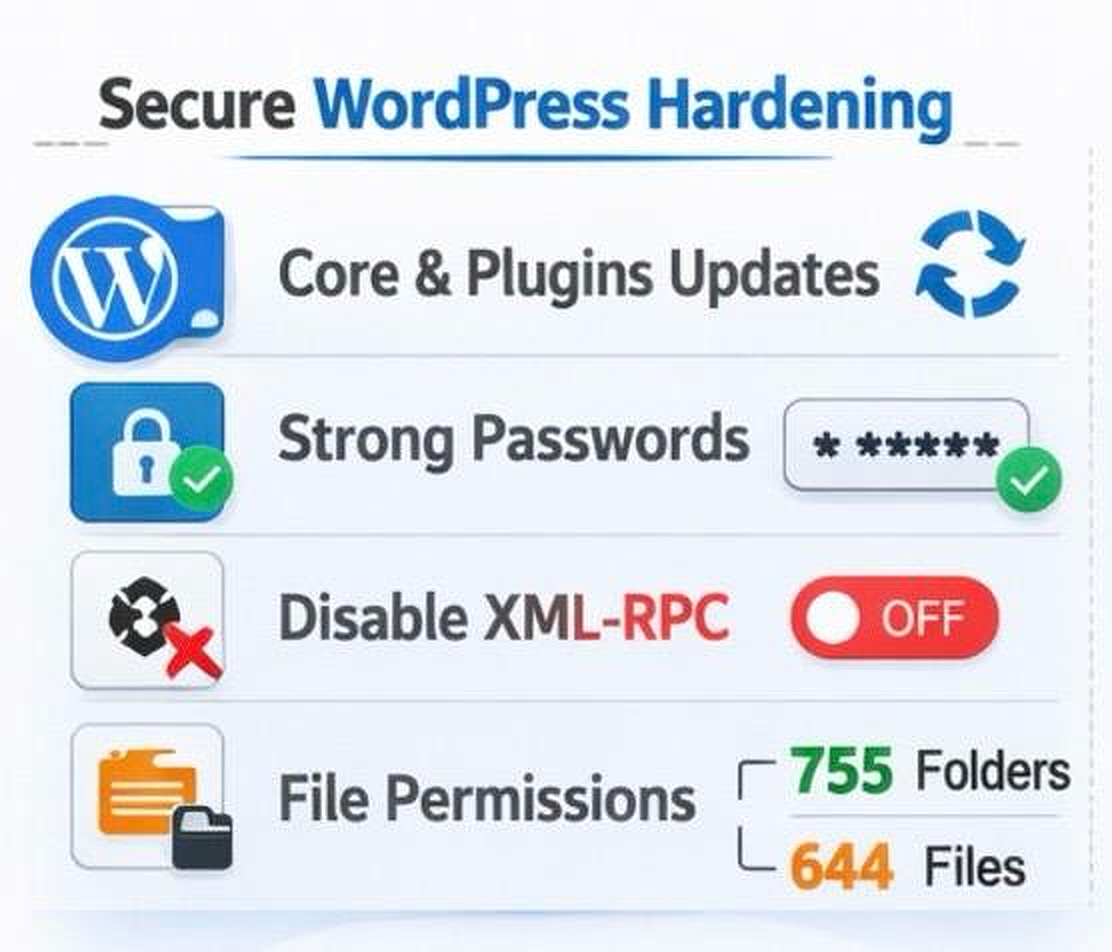
Every secure LearnDash website starts with strong WordPress hardening. If your WordPress installation is weak, your LMS will always remain vulnerable. You cannot build advanced security on a fragile base.
Every secure LearnDash website starts with strong WordPress hardening. This is your foundation.
If the foundation is weak, nothing else will hold.
Start with these basics:
- Keep WordPress core, themes, and plugins updated. Updates fix known vulnerabilities and remove security gaps.
- Use strong passwords for all users. Enforce strong password rules for admins, instructors, and learners.
- Disable XML-RPC if you do not need it. Attackers often target XML-RPC for brute-force login attempts.
- Set proper file permissions. Use 755 for folders and 644 for files to prevent unauthorized access.
You should also remove default admin usernames. Attackers often guess “admin” first. These simple steps stop many common attacks before they even start.
2. Protect User Authentication & Access
Your login page is a high-value target. If attackers gain access to an admin account, they control everything. That is why authentication security is critical for your LMS.
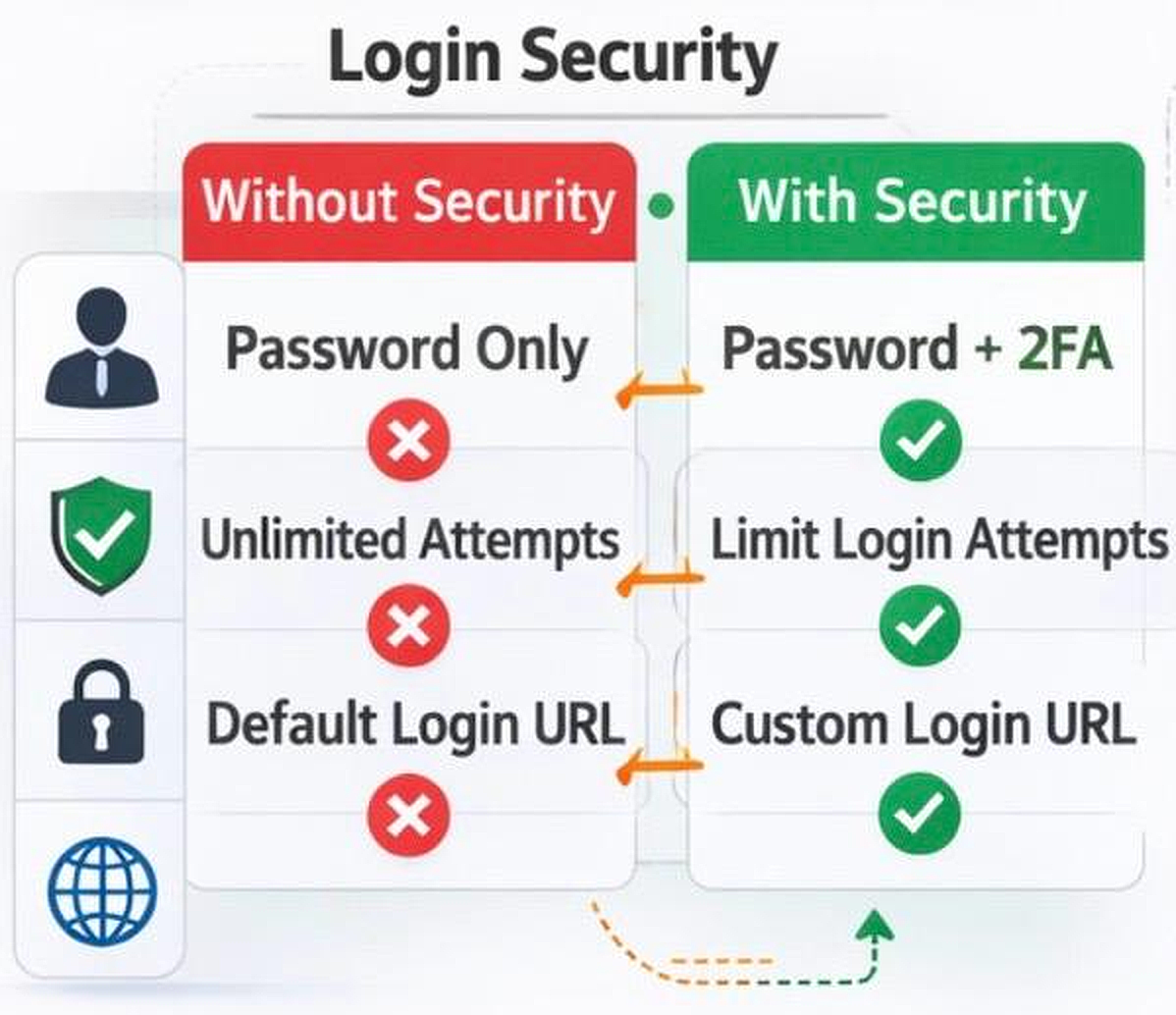
You should implement:
- Two-Factor Authentication (2FA). Even if a password is stolen, attackers cannot log in without the second factor.
- Limit login attempts. This blocks repeated brute-force attempts.
- Change the default login URL. This reduces automated bot targeting.
- Restrict admin dashboard access by IP where possible.
User roles are equally important. LearnDash allows different roles like administrator, group leader, instructor, and learner. Make sure each user only sees what they truly need. Do not give admin access unless absolutely necessary.
When you reduce access privileges, you reduce risk.
3. Secure Your LearnDash Content & Files
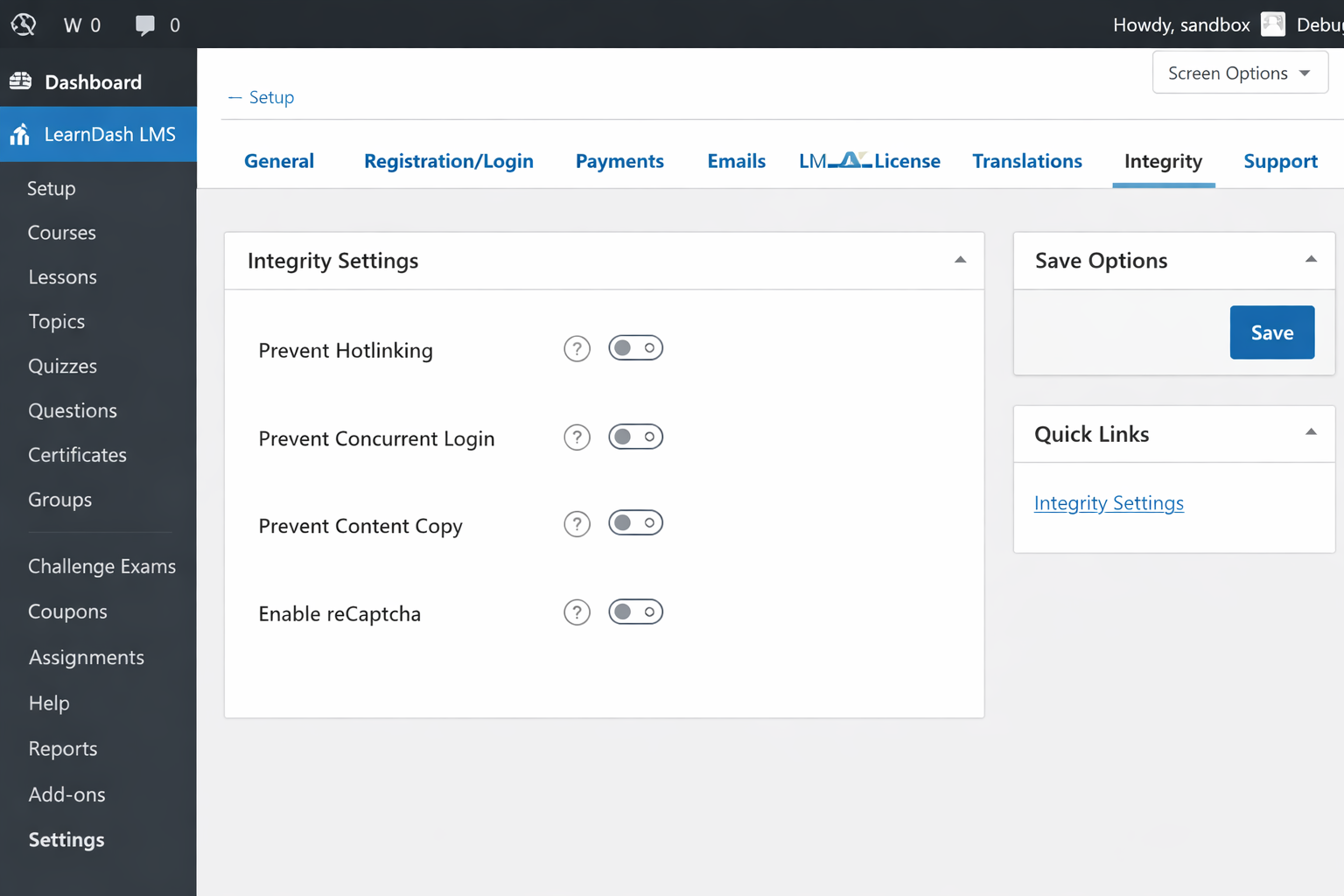
Many LMS owners focus only on passwords. But attackers often target media files, quiz data, and upload folders directly.
Here are essential LearnDash-specific protections you should implement:
- Use the LearnDash Integrity Add-On. This helps prevent hotlinking, limits concurrent logins, and reduces content abuse from shared accounts.
- Host videos on secure streaming platforms like Vimeo, Wistia, or Bunny. Enable domain restrictions so videos only play on your website and cannot be embedded elsewhere.
- Secure your uploads directory using .htaccess rules or server-level restrictions. This blocks direct file access from users who are not properly authenticated.
- Disable directory browsing on your server. This prevents visitors from viewing folder structures and discovering sensitive files.
- Restrict access to quiz and assignment uploads. Store them in protected paths so users cannot access them by guessing URLs.
If your files sit in open directories, attackers can access them without logging in. That completely bypasses your LMS structure.
When you properly secure your content, you ensure that only enrolled and authenticated students can access your materials. That protects both your revenue and your brand value.
Note: To learn how to use the LearnDash Integrity Add-On, read our detailed blog here.
4. Encrypt Data In Transit and At Rest
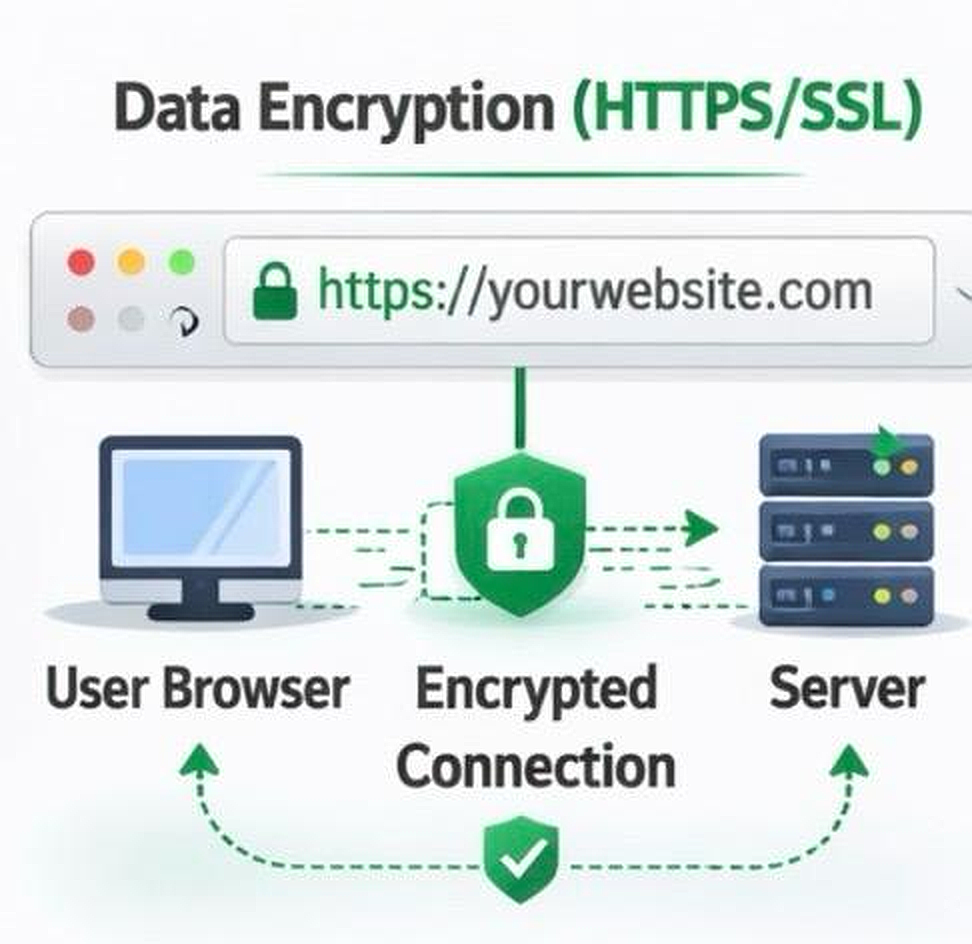
Encryption protects your data while it travels between your user’s browser and your server. If your website does not use HTTPS, login credentials and personal data can be intercepted. That puts your students at serious risk.
You must treat encryption as a basic requirement, not an advanced feature.
Start with these critical steps:
- Enable SSL/TLS so your website runs fully on HTTPS. This encrypts all communication between the browser and your server.
- Force secure login and admin connections. This ensures sensitive areas of your site always use encrypted sessions.
- Configure cookies with Secure and HTTPOnly flags. This prevents session hijacking and protects authentication data from client-side attacks.
SSL is not optional for an LMS platform. It protects login details, payment information, form submissions, and API exchanges. If you process payments or collect personal information, encryption is essential for compliance and user trust.
When students see the secure lock icon in their browser, they feel confident entering their details. That confidence builds credibility. And credibility strengthens your platform long term.
5. Use Security Plugins and Monitoring
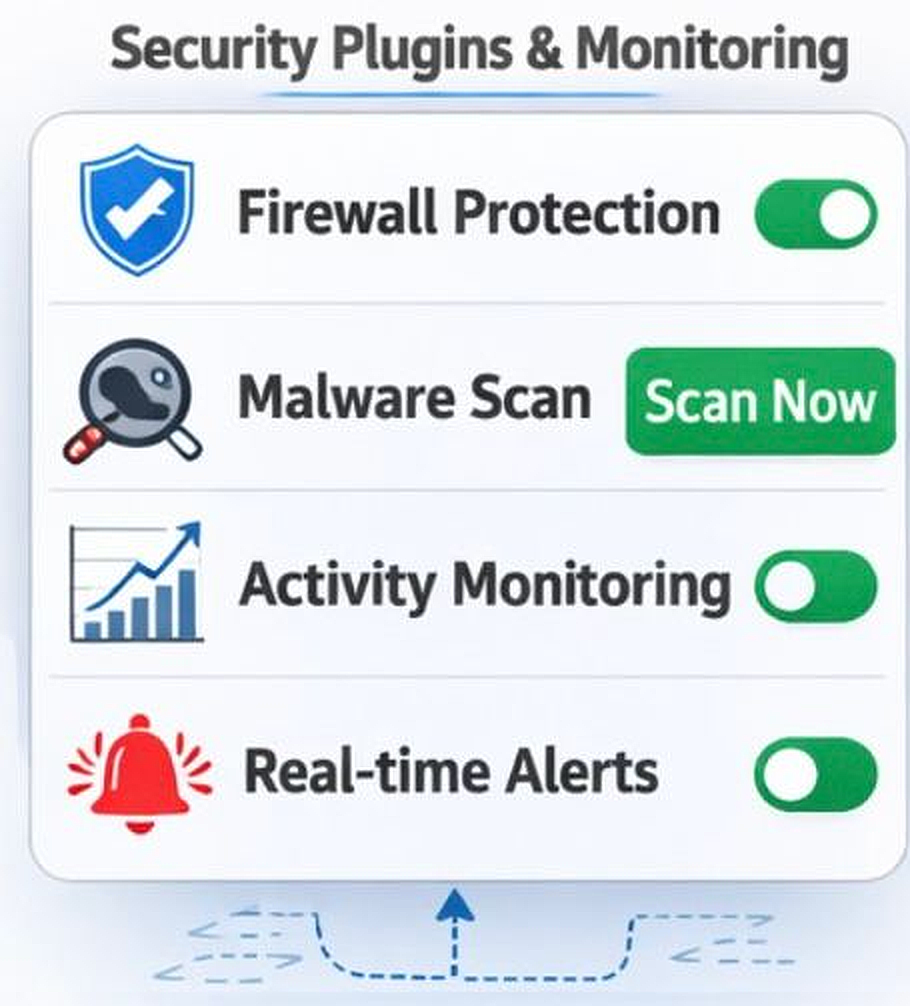
Security should be proactive. You should detect problems before damage happens. Reliable security plugins can help you monitor and block threats.
Consider using:
- Wordfence or Sucuri for firewall and malware scanning.
- Real-time monitoring tools to detect unusual activity spikes.
- Automated scan scheduling with email alerts.
These tools help you identify:
- Repeated failed logins
- Suspicious file changes
- Malware injections
- Unexpected traffic surges
Monitoring gives you visibility. And visibility gives you control.
6. Limit Your Attack Surface
The more features you enable, the more potential entry points attackers can test. Reducing your attack surface makes your website harder to exploit.
You should:
- Disable unused plugins and themes. Inactive plugins still contain vulnerable code.
- Remove features you do not use, including XML-RPC or unnecessary REST endpoints.
- Hide your WordPress version number.
- Block directory browsing at the server level.
Every extra plugin adds risk. Only keep what you truly need. A minimal setup is easier to manage and secure.
7. Backup & Recovery Strategy
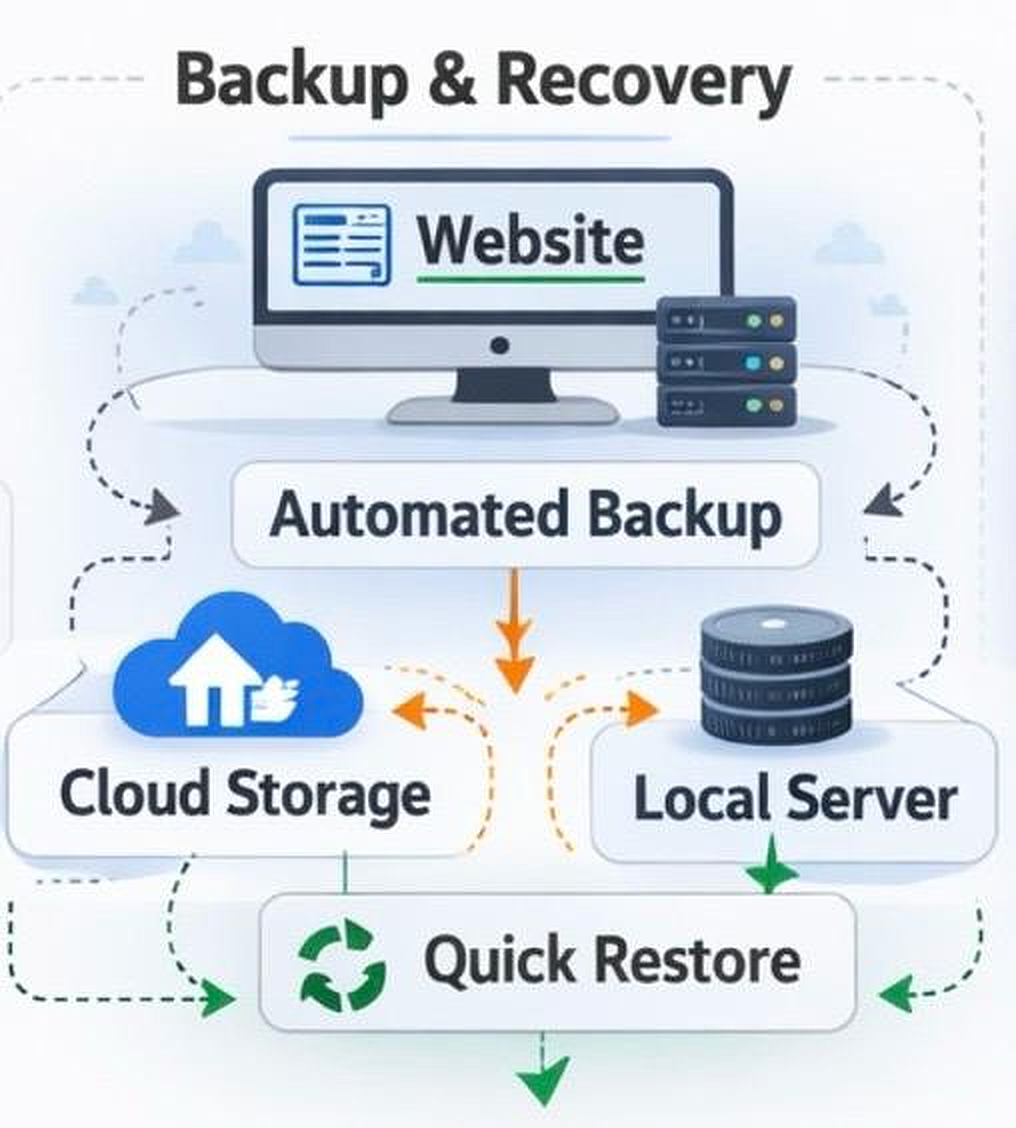
Even if you implement strong security measures, no system is completely immune to breaches. You should always prepare your LearnDash website to recover quickly and safely if an incident happens.
You must create a backup plan that includes:
- Automatic daily or weekly backups.
- Offsite backup storage, separate from your main server.
- Regular testing of your restore process.
Most of the owners of the websites develop backups but never test. After that they find the backup corrupted when they require it the most. By testing your restore process, you can be sure that your LMS will be able to restore itself in a short period of time with minimum data loss.
Backups give you peace of mind.
8. Monitor and Audit Security Over Time
Security is not a one time task. It is an ongoing process. You should continuously monitor activity across your LearnDash website.
Track:
- Login attempts and failures
- User role changes
- New admin account creation
- File modifications
Audit logs help you detect suspicious behavior early. You should also plan periodic security reviews. Review plugin updates, server configurations, and access controls at least quarterly.
Extended monitoring builds maturity in your security system.
9. Use Cloudflare or an Equivalent WAF Service for DDoS Protection
Your LearnDash website should not rely only on server level protection. Your website requires a shield between your website and the internet.
That is where a Web Application Firewall (WAF) and DDoS protection come in. Tools such as Cloudflare will block evil traffic before it can access your server. They block bots, restrict suspicious IPs, and minimize the attack impact.
This helps you:
- Block brute force login attempts
- Prevent large-scale DDoS attacks
- Filter malicious traffic automatically
- Improve website performance with CDN caching
Without a WAF, your server handles every request directly. That increases risk and resource strain.
10. Avoid Using Nulled Plugins or Themes
Using nulled plugins or themes is one of the quickest ways to compromise your LearnDash website. These pirated versions often contain hidden malware, backdoors, or malicious scripts.
Even though they may function normally, they can:
- Create hidden admin accounts
- Inject spam links into your website
- Steal user data
- Open remote access to attackers
You may save money initially, but the final outcome can be devastating.
Always download plugins and themes from official sources. Pay for legitimate licenses. Keep them updated.
Let TeknoFlair Secure Your LMS the Right Way
You cannot treat security as a checklist.
Security is architecture. It is monitoring. It is discipline.
At TeknoFlair, we help you build secure LearnDash environments from the ground up. When you build your LearnDash website with strong foundations, protected access, encrypted data, limited exposure, and tested backups, you strengthen your overall security structure.
That security builds trust.
Trust leads to student confidence. Confidence leads to growth.
If you want your LMS to scale safely, you must treat security as a continuous practice. When you invest in strong protection today, you protect your reputation and your revenue tomorrow.
To further strengthen your website security, you can also explore our detailed guides below:
How to avoid spam comments and form Submissions in your WordPress website using CleanTalk
Top 10 reasons to use Cloudflare for your WordPress Website
